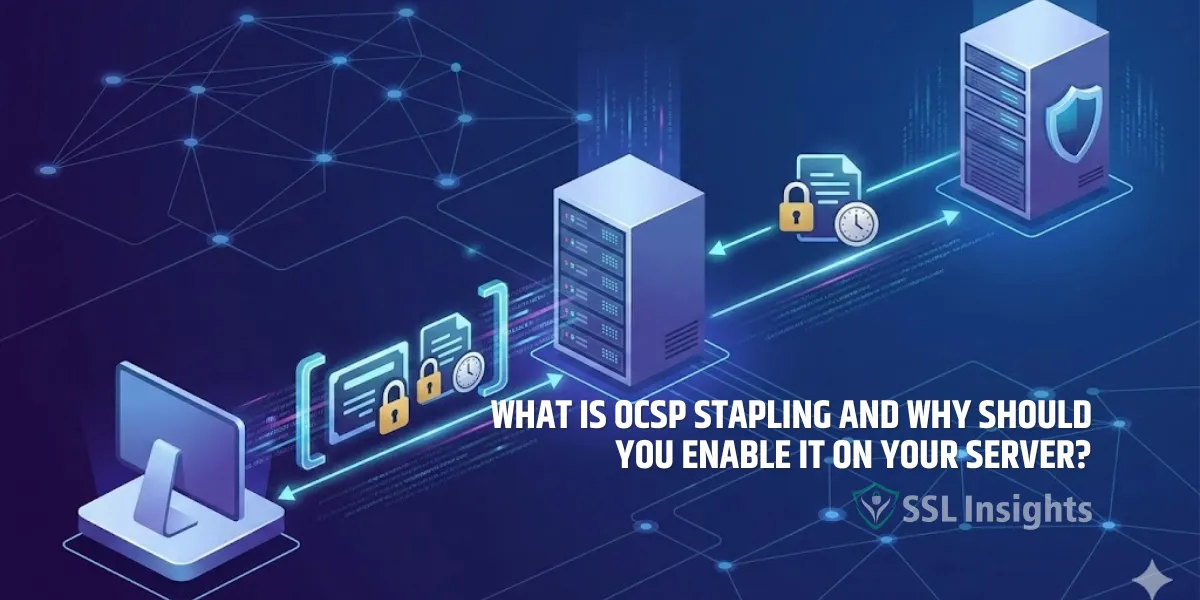
OCSP stapling is a TLS extension that lets your server deliver a pre-fetched, CA-signed certificate revocation status directly to connecting clients during the handshake - removing the need for browsers to make a separate request to the Certificate Authority's OCSP responder. Instead of each visitor's browser independently querying a third-party server to confirm your SSL certificate is still valid, your web server fetches and caches that confirmation, then attaches it inline. The result is faster page loads, stronger privacy for your visitors, and more reliable certificate validation - all with no change to the certificate itself.
What Is OCSP Stapling?
OCSP stapling is a protocol mechanism, formally called the TLS Certificate Status Request extension, where a server appends a time-stamped OCSP response - signed by the issuing Certificate Authority - to the initial TLS handshake. This eliminates the client's need to contact the CA directly to verify certificate revocation status. The stapled response is cached by the server and refreshed at regular intervals, so each new connection receives an up-to-date, cryptographically verified status proof without any extra network round-trip.
Online Certificate Status Protocol (OCSP) itself was defined in RFC 2560 and later updated by RFC 6960 as a real-time method for checking whether a digital certificate has been revoked. Traditional OCSP requires every connecting client to query the CA's responder independently. OCSP stapling, standardized in RFC 6066 TLS extensions specification, moves that query to the server side and bundles the result with the certificate exchange.
How Does OCSP Stapling Work?
When OCSP stapling is active, your web server periodically contacts the CA's OCSP responder, receives a signed status response, and caches it locally. That cached response is then delivered to every connecting client as part of the TLS handshake - "stapled" alongside your server's certificate. The client verifies the response using the issuer's public key, confirms the validity period, and accepts the revocation check without initiating a separate outbound request to the CA.
The sequence works like this:
- The server fetches a signed OCSP response from the CA's responder at regular intervals (typically every few hours).
- The signed response is cached on the server, ready for delivery during any TLS handshake.
- A client connects and sends a ClientHello message that includes a status_request extension, signaling stapling support.
- The server sends its certificate plus the cached OCSP response inside a CertificateStatus message.
- The client verifies the CA's signature on the OCSP response, confirms it is within its validity window, and accepts the revocation status without contacting the CA.
Because the CA digitally signs the OCSP response, a malicious server cannot forge a fake "good" status for a revoked certificate. The stapled response can only be produced by the CA - the server merely delivers it.
What Problems Does OCSP Stapling Solve?
Traditional OCSP checking creates three distinct problems that OCSP stapling addresses directly. Understanding those problems explains why enabling stapling is worth the configuration work on your server.
1. Performance Overhead
Without stapling, every visitor's browser must complete a separate TCP connection and HTTP request to the CA's OCSP responder before the page can fully load. That round-trip adds latency - often 50 to 200 milliseconds depending on geography and network conditions. On a high-traffic site, those delays compound across every simultaneous visitor.
2. Privacy Exposure
Each traditional OCSP request tells the CA which website the user is visiting and when. Over time, CAs accumulate browsing data from millions of users visiting millions of sites. OCSP stapling eliminates that data exposure: the CA sees only periodic requests from your server, not individual user queries.
3. CA Infrastructure Load
A heavily trafficked website can generate enormous volumes of OCSP requests against the CA's responders. As noted in the IETF specification for TLS multiple certificate status, there have been cases where OCSP requests from a single high-traffic site caused significant network problems for the issuing CA. Stapling shifts that polling burden from millions of clients to a single server.
OCSP Stapling vs. Traditional OCSP: Key Differences
Both approaches verify certificate revocation status, but they differ significantly in who performs the check, what it costs in latency, and what it reveals about your visitors.
| Factor | Traditional OCSP | OCSP Stapling |
| Who queries CA? | Every client browser independently | Server only, at scheduled intervals |
| Latency impact | Adds 50–200ms per visitor per connection | Zero added latency for clients |
| Privacy | CA sees every visitor's IP and browsing timing | CA sees only server polling - no user data |
| CA server load | Scales with site traffic (can be extreme) | Fixed load regardless of visitor count |
| Failure behavior | Soft-fail: connection proceeds if CA unreachable | Cached response used until refresh succeeds |
| Implementation | Default browser behavior, no server config needed | Requires explicit server-side configuration |
The soft-fail behavior in traditional OCSP is worth noting: most browsers allow the connection to proceed even when the OCSP responder cannot be reached. This means a network-blocking attacker can prevent revocation checks from functioning at all - a gap that stapling narrows significantly.
Which Web Servers Support OCSP Stapling?
OCSP stapling is supported by all major web server platforms, though the specific configuration syntax varies. The feature was added early enough that any modern server version you are likely to be running already includes it.
| Web Server | Support Since Version | Configuration Directive |
| Apache HTTP Server | 2.3.3 | SSLUseStapling On |
| Nginx | 1.3.7 | ssl_stapling on |
| LiteSpeed | 4.2.4 | Enabled via Admin Console |
| Microsoft IIS | Windows Server 2008 | Enabled by default |
| HAProxy | 1.5-dev12 | ssl-default-server-options ssl-staple |
OpenSSL added stapling support in version 0.9.8g, which means the underlying TLS library most Linux-based servers rely on has supported this feature for over a decade.
How Do You Enable OCSP Stapling on Apache and Nginx?
Enabling OCSP stapling on Apache or Nginx requires a few configuration lines and a trusted certificate chain file. The steps below cover the two most common server environments.
1. Apache Configuration
Add these directives inside your SSL VirtualHost block:
SSLUseStapling On
SSLStaplingCache shmcb:/var/run/ocsp(128000)
SSLStaplingReturnResponderErrors Off
The SSLStaplingCache directive creates a shared memory cache for OCSP responses. The SSLStaplingReturnResponderErrors Off setting prevents Apache from forwarding error responses to clients, which improves behavior when the OCSP responder is temporarily unreachable.
Nginx Configuration
Add these lines inside your server block:
ssl_stapling on;
ssl_stapling_verify on;
ssl_trusted_certificate /path/to/chain.pem;
resolver 8.8.8.8 8.8.4.4 valid=300s;
resolver_timeout 5s;
The ssl_trusted_certificate directive must point to your full chain file, which includes intermediate certificates. Nginx uses the resolver directive to look up the CA's OCSP responder hostname, so a working DNS resolver address is required. You can learn more about how the SSL handshake failure errors can appear when configuration is incomplete.
How Do You Verify OCSP Stapling Is Working?
After enabling OCSP stapling and restarting your server, use the OpenSSL command-line tool to confirm a stapled response is being returned during the TLS handshake.
Run this command, replacing yourdomain.com with your actual domain:
echo QUIT | openssl s_client -connect yourdomain.com:443 -status 2>&1 | grep -A 10 "OCSP Response"
A successful result shows a "OCSP Response Status: successful" line followed by certificate status details. If the output shows "OCSP response: no response sent," stapling is not active - double-check your configuration and confirm the server reloaded successfully after your changes.
You can also compare this with how different OCSP and CRL revocation methods behave in practice, since the two mechanisms complement each other and many CAs publish both types of revocation data.
What Is OCSP Must-Staple and Do You Need It?
OCSP Must-Staple is an optional X.509 certificate extension, defined in RFC 7633, that instructs browsers to reject any TLS connection where the server fails to provide a valid stapled OCSP response. Without this extension, browsers apply soft-fail behavior - if stapling is missing or broken, the connection proceeds anyway. Must-Staple changes that to a hard-fail: no stapled response means no connection.
Must-Staple is embedded in the certificate at issuance time - you cannot add it to an existing certificate. Not every CA offers it as an option. Before requesting a Must-Staple certificate, confirm that your server's OCSP stapling configuration is reliable and your CA's OCSP responders are consistently available. A stapling failure on a Must-Staple certificate takes your site offline for all visitors.
For most deployments, standard OCSP stapling without Must-Staple provides strong practical security. Must-Staple is worth considering for high-security environments where certificate revocation must be enforced without any soft-fail exception.
What Are the Most Common OCSP Stapling Mistakes?
Most stapling failures trace back to a small set of configuration errors. Knowing these pitfalls in advance saves significant troubleshooting time.
- Missing chain file on Nginx: The ssl_trusted_certificate directive must point to your full intermediate chain, not just the end-entity certificate. Without it, Nginx cannot verify the OCSP responder's response and stapling silently fails.
- No resolver configured: Nginx requires an explicit resolver directive to look up the CA's OCSP URL hostname. Omitting it causes stapling to fail with no useful error message in most default configurations.
- Firewall blocking outbound port 80: Your server must be able to reach the CA's OCSP responder over HTTP (port 80) or HTTPS (port 443). A restrictive egress firewall rule often causes quiet stapling failures that only appear in OpenSSL verification tests.
- Stale cache not refreshing: If the server cannot periodically re-fetch the OCSP response before the previous one expires, clients receive an outdated status. Monitor your server logs for OCSP-related errors to catch this before expiry occurs.
- Reloading vs. restarting: On some servers, a configuration reload (nginx -s reload) does not always trigger a fresh OCSP fetch. A full restart may be needed to initialize stapling after first-time setup.
Enable Stapling Before Your Next Certificate Renewal
OCSP stapling is one of the most practical TLS improvements you can make without changing your certificate, your hosting setup, or your DNS configuration. It cuts latency for visitors, removes CA-side privacy exposure, and reduces the soft-fail surface that traditional OCSP checking leaves open.
For Apache and Nginx - the two most widely deployed web servers - the full configuration is under 10 lines. Run the OpenSSL verification command after enabling it, confirm you see a successful stapled response, and monitor your logs for OCSP fetch errors going forward. With the CA/Browser Forum moving toward shorter certificate lifespans in 2025 and beyond, keeping certificate validation fast and reliable becomes progressively more important - and OCSP stapling directly supports that goal.
If you are also working through revocation infrastructure questions more broadly, the comparison between certificate revocation list and OCSP mechanisms helps clarify when each approach is the right tool.
Frequently Asked Questions About OCSP Stapling
Does OCSP stapling affect my SSL certificate or require a new one?
No. OCSP stapling is entirely a server-side configuration change. Your existing SSL certificate does not need to be replaced, reissued, or modified in any way. You only change settings on your web server software and restart it.
What happens if my server's OCSP response expires before it can refresh?
If the cached OCSP response expires and the server cannot fetch a new one, different servers handle this differently. Apache stops stapling and lets clients perform their own OCSP check. Nginx also falls back silently. Clients using soft-fail behavior (which is the default for most browsers) continue connecting. Monitoring your server logs for OCSP errors helps catch expiry issues early.
Is OCSP stapling supported in TLS 1.3?
Yes. TLS 1.3, defined in RFC 8446, includes native support for the Certificate Status extension used by OCSP stapling. Under TLS 1.3, the OCSP response is included alongside certificate messages in the handshake, and the mechanism works similarly to TLS 1.2, though some implementation details differ at the library level.
Can OCSP stapling be used with wildcard or multi-domain SSL certificates?
Yes. OCSP stapling works with all certificate types - including DV, OV, EV, wildcard, and multi-domain (SAN) certificates. The stapled OCSP response is specific to the certificate serial number, so each certificate gets its own response regardless of how many domains it covers.
Does enabling OCSP stapling have any negative effects?
The main risk is configuration error leading to a broken stapling setup, not the feature itself. A broken configuration typically causes silent fallback to standard OCSP (not a connection failure), unless the certificate carries the Must-Staple extension. Properly configured stapling has no negative effects and improves connection speed, privacy, and reliability.
How long is an OCSP response valid for?
OCSP response validity periods are set by each CA individually. Most CAs issue responses valid for 4 to 10 days. Your server should refresh its cached response before that window closes - typically by polling the CA once every few hours. Apache and Nginx handle this polling automatically once stapling is enabled and correctly configured.

Priya Mervana
 Verified Web Security Experts

Priya Mervana is working at SSLInsights.com as a web security expert with over 10 years of experience writing about encryption, SSL certificates, and online privacy. She aims to make complex security topics easily understandable for everyday internet users.