
Multi-Domain SSL Certificate: What It Is & How It Works
A multi-domain ssl certificate - also called a SAN or UCC certificate - secures multiple different domain names under a single certificate. Instead of buying separate SSL certificates for each domain, one multi-domain certificate can cover up to 250 domains simultaneously. It works by listing each additional domain in the Subject Alternative Name (SAN) field, and every major browser and device recognizes and trusts the result.
What Is a Multi-Domain SSL Certificate?
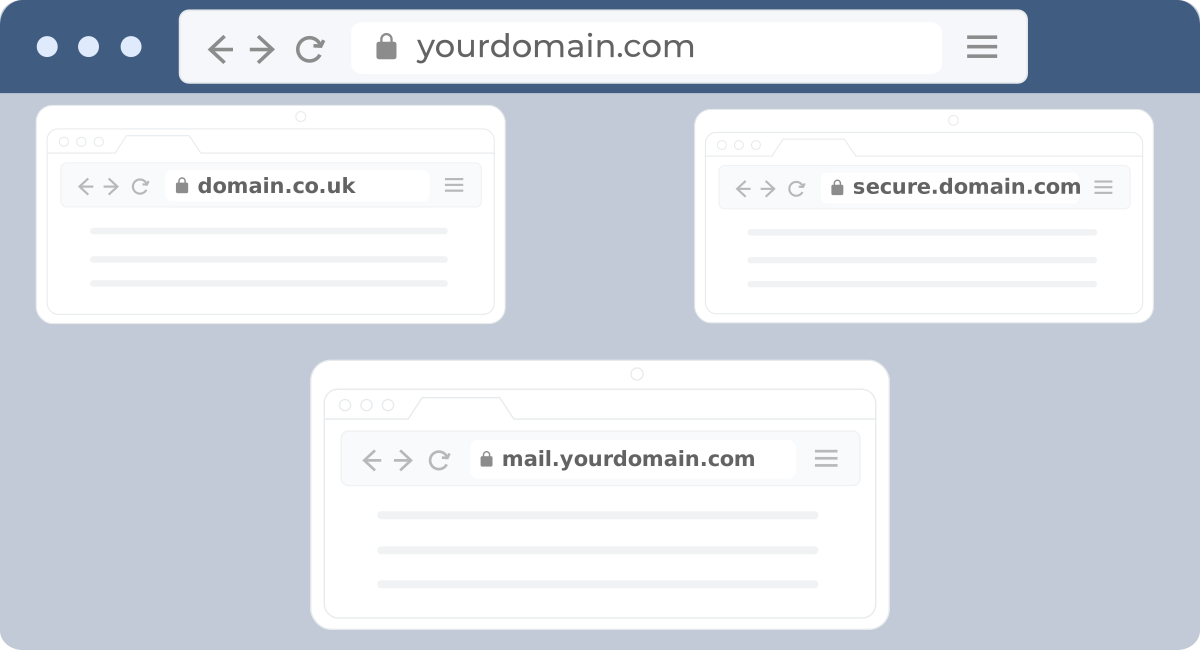
A multi-domain SSL certificate is a type of SSL/TLS certificate that protects several distinct domain names using a single certificate file. Unlike a standard single-domain certificate - which only covers one fully qualified domain name - a multi-domain certificate adds extra domains through Subject Alternative Names (SANs). Each SAN entry is an independently trusted domain: example1.com, example2.net, and example3.org can all be secured on the same certificate.
Multi-domain SSL vs Single Domain SSL comes down to scope. A single-domain certificate covers one domain (or one subdomain). A multi-domain certificate covers up to 250 different domains at once, making it the right choice for businesses operating across several brands, regional sites, or product lines.
Multi-domain certificates are also called UCC SSL certificates (Unified Communications Certificates), a term that originated with Microsoft Exchange environments, though the underlying certificate type is identical.
How Does a Multi-Domain SSL Certificate Work?
A multi-domain SSL certificate works by embedding multiple domain names into a single certificate using Subject Alternative Names (SANs). Here is the sequence from issuance to active protection:
- Generate a CSR - Create a Certificate Signing Request that names one primary domain as the Common Name (CN) and lists all additional domains as SANs (e.g., CN: example.com, SAN: example.net, example.org).
- Submit for validation - The Certificate Authority (CA) verifies ownership of every domain listed. Domain Validation (DV) takes minutes; Organization Validation (OV) may take a few business days.
- Install the certificate - After issuance, install the certificate files on your web server once. The single installation covers all listed domains.
- Browser handshake - When a visitor loads any covered domain, the browser checks the SAN list in the certificate, confirms a match, and displays the padlock. No extra configuration is needed per domain.
How many domains can a multi-domain ssl cover depends on the Certificate Authority. Most providers allow between 3 and 250 SANs per certificate, with the first domain included in the base price and additional SANs charged incrementally.
What Are the Benefits of a Multi-Domain SSL Certificate?
Multi-domain ssl certificate benefits fall into three clear categories: cost, management, and compatibility.
- Cost savings - A single multi-domain certificate covering 5 domains typically costs $25–$250 per year depending on the CA and validation level. Buying five separate single-domain certificates from the same CA at $60–$100 each quickly adds up to three or four times that amount.
- Simplified management - One certificate means one renewal date, one installation, and one place to monitor expiry. Managing 10 individual certificates across different servers multiplies the risk of a missed renewal.
- Universal compatibility - Multi-domain certificates work with all major browsers, mobile devices, load balancers, content delivery networks, and email servers. The same certificate that secures your main website also protects HTTPS connections for associated services across every covered domain.
What Are the Limitations of a Multi-Domain SSL Certificate?
Understanding multi-domain ssl certificate limitations helps you choose the right certificate type before purchase.
- No subdomain coverage - Multi-domain certificates cover registered domain names only. They do not cover subdomains like blog.example.com or shop.example.com. For subdomains, you need a wildcard SSL certificate.
- Domain cap - Most CAs cap certificates at 250 SANs. Very large domain portfolios may require multiple certificates.
- Shared issuer identity - All covered domains display the same Certificate Authority issuer name. Organizations that want domains to appear as independently certified entities may find this a limitation.
- More documentation for OV/EV - Organization Validation and Extended Validation multi-domain certificates require ownership proof for each domain listed, which adds paperwork at issuance time.
Multi-Domain SSL vs Wildcard: Which Do You Need?
The multi-domain ssl certificate vs wildcard decision comes down to one question: are you securing different domains, or different subdomains of the same domain?
| Feature | Multi-Domain SSL | Wildcard SSL |
| Covers different domains (e.g., site1.com, site2.net) | Yes | No |
| Covers unlimited subdomains (e.g., *.example.com) | No | Yes |
| Max domains per certificate | Up to 250 SANs | Unlimited subdomains, 1 domain |
| Validation levels available | DV, OV, EV | DV, OV |
| Best for | Multi-brand or multi-region businesses | Single domain with many subdomains |
| Typical starting price | ~$25/yr | ~$50/yr |
If you need both - for example, securing example1.com, example2.com, and all subdomains of each - a multi-domain wildcard SSL certificate combines both capabilities in one certificate.
Best Multi-Domain SSL Certificate Providers
The best multi-domain ssl certificate provider depends on your validation requirement and budget. The table below compares the leading options for cheapest multi-domain ssl certificate through to enterprise-grade coverage. Multi-domain ssl certificate price starts as low as $25.60/year for DV-level certificates.
| Product Features | Sectigo PositiveSSL Multi-Domain | DigiCert Multi-Domain SSL | Comodo Multi-Domain SSL |
|---|---|---|---|
| Certificate Authority |  Sectigo Sectigo  |  DigiCert DigiCert |  Comodo Comodo |
| Multiple Domain Names | Multiple Domain Names | Multiple Domain Names | |
| $25.60/yrView Pricing | $715.79/yr.View Pricing | $116.82/yrView Pricing | |
| Single Domain Name + 2 Different SAN Included | Single Domain Name + 3 Different SAN Included | Single Domain Name + 3 Different SAN Included | |
 | | | |
| Domain | Organization | Organization | |
 | | | |
| Minutes | Minutes | 1-3 Days | |
| up to 256-bit | up to 256-bit | up to 256-bit | |
| 2048 bits | 2048 bits | 2048 bits | |
| Medium | Medium | High | |
| Unlimited | Unlimited | Unlimited | |
 |  |  | |
| | | |
| $50,000 | $1,000,000 | $250,000 | |
| 30 days | 30 days | 30 days | |
| | | |
| | | |
| | | |
| 99% | 99% | 99% | |
| | | |
| | | |
| 24/7 Live Chat | 24/7 Live Chat | 24/7 Live Chat | |
How Do You Install a Multi-Domain SSL Certificate?
How to install a multi-domain ssl certificate follows the same core steps as any SSL certificate installation, with one important difference: your CSR must list all domains upfront.
- Generate a CSR with SANs - On your web server, create a Certificate Signing Request (CSR). Set the primary domain as the Common Name (CN). List every additional domain in the Subject Alternative Names (SAN) field. If you need help generating the CSR, use the free CSR generator tool.
- Purchase and validate - Buy your chosen multi-domain certificate and submit the CSR. The CA will verify ownership of each domain. DV certificates complete this in minutes via email or DNS record confirmation.
- Download and install - Once issued, download the certificate bundle (certificate file, intermediate CA, and root CA). Install all files on your web server following your server's SSL installation process.
- Test the installation - Verify all domains are covered using an SSL checker tool to confirm the SAN list, encryption level, and expiry date.
How Do You Renew a Multi-Domain SSL Certificate?
How to renew multi-domain ssl certificate follows four steps, and timing matters - browser trust issues can occur if a certificate expires even for a few hours.
- Generate a new CSR - Do not reuse your old CSR. Generate a fresh one with all the domains you want covered, including any additions or removals from the original list.
- Purchase the renewal - Buy a renewal certificate from your CA. Most providers offer renewal discounts of 10–20%. Submit the new CSR during checkout.
- Complete domain validation - Even on renewal, the CA re-verifies domain ownership for every SAN listed.
- Install the renewed certificate - Once issued, install the new certificate files before the old one expires. Set a calendar reminder 30 days before expiry to give yourself ample time.
Key renewal notes: you cannot renew a wildcard certificate into a multi-domain certificate directly - you must revoke the existing one and request a new issuance. Also review the SSL certificate renewal guide for server-specific installation steps.
When and How Should You Revoke a Multi-Domain SSL Certificate?
Revocation permanently invalidates a certificate. Any visitor accessing a covered domain after revocation will see a browser trust warning until a replacement certificate is installed.
Revoke a certificate when:
- The private key is compromised due to a security breach
- Domain ownership has transferred and the domain should no longer be included
- The certificate was issued with incorrect information
- You need to replace it with an updated or upgraded certificate
How to revoke:
- Contact your CA's support team and request revocation, providing your certificate details.
- The CA adds the certificate to Certificate Revocation Lists (CRLs) and the OCSP responder.
- Browsers and clients check these lists and stop trusting the certificate immediately.
- Generate a new CSR and purchase a replacement certificate to restore HTTPS protection without interruption.
Only revoke when genuinely necessary - it is irreversible and causes immediate trust failures on all covered domains until a replacement is active.
Frequently Asked Questions About Multi-Domain SSL Certificates
Do I need a separate SSL certificate for each domain?
No. A multi-domain SSL certificate covers multiple domains under a single certificate. You list each domain in the Subject Alternative Name (SAN) field at the time of issuance, and one certificate installation handles all of them simultaneously.
Can a multi-domain SSL certificate secure subdomains?
Not directly. Multi-domain certificates cover registered domain names only, not subdomains. To cover subdomains like shop.example.com or blog.example.com, you need a wildcard SSL certificate or a multi-domain wildcard certificate.
Is a multi-domain SSL certificate suitable for Microsoft Exchange?
Yes. Multi-domain ssl certificate for microsoft exchange environments is one of the original use cases for this certificate type. Exchange uses multiple service hostnames (autodiscover.domain.com, mail.domain.com, etc.) that can all be listed as SANs on a single UCC/multi-domain certificate.
How many domains can a multi-domain SSL certificate cover?
Most Certificate Authorities allow between 3 and 250 domains per certificate. The base certificate typically includes 1 primary domain plus 2 or 3 additional SANs, with extra SANs available for a per-domain fee.
What happens if one domain on my multi-domain certificate is compromised?
If one domain's private key is compromised, you should revoke the entire certificate and reissue a new one. A compromise of one domain effectively compromises the shared certificate for all domains on it.
Can I add or remove domains from a multi-domain certificate after issuance?
You cannot modify a certificate after issuance. To add or remove domains, you reissue the certificate with a new CSR listing the updated domain set. Most CAs allow free reissuance during the certificate's validity period.