
Wildcard SSL Certificate: Complete Guide for 2026
A wildcard SSL certificate is a single SSL/TLS certificate that secures one domain and all of its first-level subdomains using a wildcard character (*) in the common name - for example, *.example.com. One certificate covers mail.example.com, store.example.com, blog.example.com, and every other subdomain you add, without requiring a separate certificate for each. Organizations managing multiple subdomains use wildcard SSL to reduce cost, simplify renewal, and ensure every subdomain shows the browser padlock.
What is a Wildcard SSL Certificate?
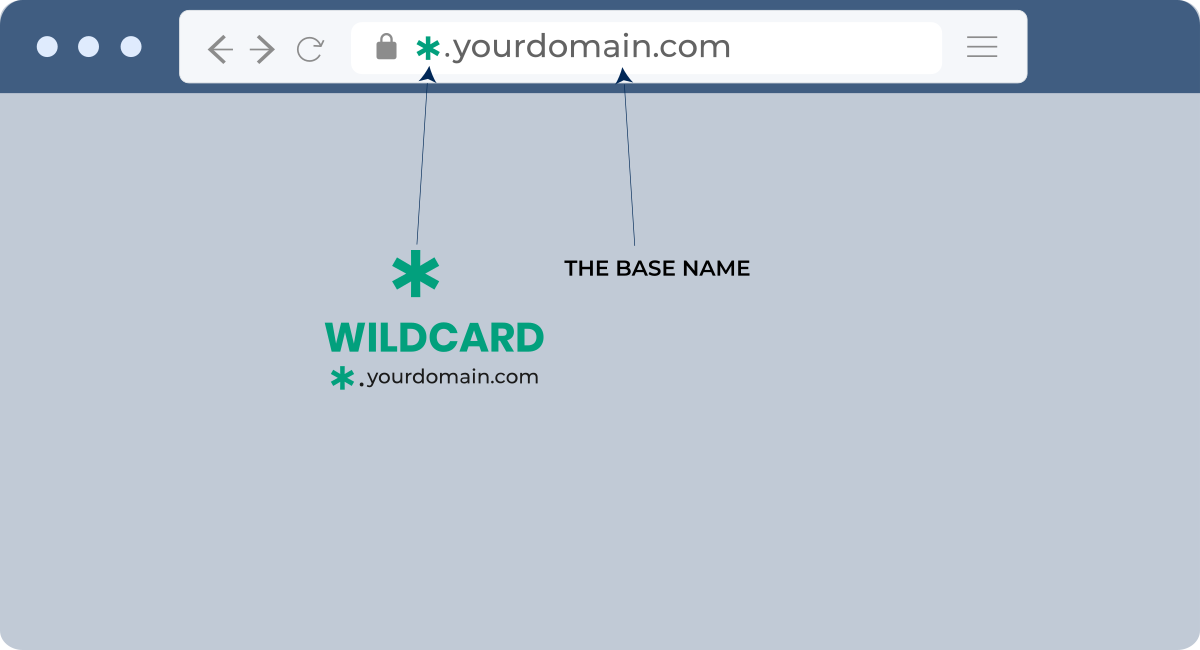
A wildcard SSL certificate uses the asterisk wildcard character (*) as the leftmost domain label, allowing one certificate to authenticate an unlimited number of first-level subdomains on a single base domain. The certificate's Common Name (CN) is written as *.yourdomain.com, which matches any single subdomain prefix.
For example, *.example.com secures:
- mail.example.com
- shop.example.com
- staging.example.com
- login.example.com
- Any other subdomain directly under example.com
One important boundary: the wildcard covers only one level deep. It does not secure sub-subdomains like dev.api.example.com, and it does not cover the bare root domain example.com - that requires a separate certificate or a multi-domain SSL certificate issued alongside it.
How Does a Wildcard SSL Certificate Work?
When a browser connects to a subdomain, the web server presents the wildcard certificate. The browser checks whether the requested hostname - say, shop.example.com - matches the certificate's CN (*.example.com). Since the wildcard matches any single-level prefix, the hostname passes validation and an encrypted TLS connection opens.
The full process works like this:
- You purchase a wildcard certificate from a trusted Certificate Authority (CA) such as Sectigo, DigiCert, or RapidSSL.
- The CA validates your ownership of the base domain through DNS or file-based domain control validation methods.
- The CA issues the certificate with CN = *.yourdomain.com.
- You install the certificate on your web server alongside the CA's intermediate certificate chain.
- Any browser connecting to any matching subdomain receives and trusts the certificate automatically.
- New subdomains added after issuance are immediately covered - no reissuance needed.
Understanding how SSL works at the handshake level helps when diagnosing connection errors across subdomains.
What Are the Benefits of a Wildcard SSL Certificate?
Wildcard SSL certificate benefits make it the practical default for any site running three or more subdomains.
- Single-certificate management - Renewals, revocations, and configuration changes happen once, not once per subdomain. A team managing 20 subdomains handles one renewal event per year instead of 20.
- Automatic subdomain coverage - Launch a new subdomain and it's secured immediately. There's no delay waiting for a new certificate to be issued.
- Cost efficiency - A wildcard certificate costs more than a single-domain certificate upfront, but it consistently costs less than buying individual certificates for five or more subdomains. Wildcard ssl for ecommerce setups - where staging, checkout, accounts, and API subdomains all need HTTPS - often recover the price difference within the first year.
- Performance improvement - Browsers don't re-validate a new certificate per subdomain. The shared certificate reduces TLS overhead, which shortens page load times marginally but measurably for high-traffic sites.
- Consistent browser trust signals - Every subdomain shows the padlock. No mixed-content warnings appear because a forgotten subdomain is running HTTP.
What Should You Consider Before Buying a Wildcard SSL?
Things to consider before buying wildcard ssl come down to three categories: scope, security, and cost math.
- Scope limitations - Wildcards cover one subdomain level. If your architecture uses nested subdomains (api.v2.example.com), a wildcard won't reach them. A multi-domain wildcard certificate handles multiple base domains, but still won't reach two levels deep.
- Wildcard ssl security risks - Because one private key protects all subdomains simultaneously, a key compromise affects the entire subdomain set. If one server sharing the certificate is breached, all subdomains must be treated as exposed until the certificate is revoked and reissued. Teams with strict security boundaries between subdomains sometimes prefer individual certificates for isolation.
- Cost math - Run the numbers honestly. If you're protecting two subdomains that rarely change, individual DV certificates - especially free ones from Let's Encrypt - may be cheaper. Wildcards pay off when you have five or more subdomains or add new ones frequently.
- Technical readiness - Wildcard private keys should never be distributed carelessly. Every server hosting the certificate needs the private key file, which increases the attack surface. Proper key storage and access controls are non-optional.
DV vs. OV Wildcard SSL: Which Validation Level Do You Need?
Wildcard ssl dv vs ov is the most common purchase decision buyers face. Here's how they compare:
| Feature | DV Wildcard SSL | OV Wildcard SSL |
| Validation type | Domain ownership only | Domain + organization identity |
| Issuance time | Minutes | 1–3 business days |
| Organization name in cert | No | Yes |
| Paperwork required | No | Yes |
| Best for | Personal sites, dev environments, SMBs | Businesses needing visible org identity |
| Price range | $78–$150/yr | $150–$500/yr |
| Typical buyer | Developer, startup | Enterprise, regulated industry |
DV wildcard certificates satisfy the large majority of use cases. OV adds organizational identity visible in the certificate details - meaningful for financial services, healthcare, or any organization where users inspect certificate details as part of their trust decision.
Wildcard SSL vs. Multi-Domain SSL: Which Do You Need?
Wildcard ssl vs multi-domain ssl is the right comparison when your site spans more than one base domain.
| Factor | Wildcard SSL | Multi-Domain SSL (SAN) |
| Covers | Unlimited subdomains, one base domain | Up to 250 specific domains/subdomains |
| Sub-subdomains | No | Yes (each listed explicitly) |
| Multiple base domains | No | Yes |
| Best for | One domain with many subdomains | Multiple separate domains |
| Management | One cert, automatic subdomain coverage | One cert, manual SAN list updates |
Choose a wildcard when you have one base domain with many subdomains. Choose a multi-domain SSL certificate when you're securing separate domains (example.com, example.net, myotherdomain.com) under one certificate.
How Is a Wildcard SSL Certificate Validated?
How to validate wildcard ssl follows the same domain control validation (DCV) process used for all SSL types, with one key difference: the CA validates ownership of the base domain (*.example.com), which implicitly covers all subdomains.
Common validation methods include:
- DNS TXT record - Add a CA-provided TXT record to your DNS zone. Most CAs and automated tools prefer this method for wildcards because it doesn't require access to any specific subdomain.
- File-based validation - Upload a verification file to a specific path on the domain. Wildcard orders typically require the DNS method since file placement would need to happen on every subdomain.
- Email validation - The CA sends a verification email to a WHOIS-listed or admin@ address for the domain.
OV wildcard certificates add a second layer: the CA verifies business registration records, checks the organization name against official databases, and may contact the organization by phone.
How Do You Install a Wildcard SSL Certificate?
How to install a wildcard ssl certificate follows the same steps as any SSL installation, with one important consideration: if you're installing on multiple servers, each server needs a copy of the private key file, which must be protected accordingly.
- Download the certificate package from your CA - this includes the wildcard certificate file and the CA intermediate bundle.
- Convert the certificate files to the format your server requires (PEM for Apache/Nginx, PFX for IIS/Windows) using OpenSSL if needed.
- Upload the certificate, private key, and intermediate bundle to your web server.
- Configure the server to use the certificate for HTTPS on port 443. On Nginx, this is the ssl_certificate and ssl_certificate_key directives; on Apache, SSLCertificateFile and SSLCertificateKeyFile.
- Set up 301 redirects to force all HTTP traffic to HTTPS on every subdomain.
- Enable HTTP Strict Transport Security (HSTS) in your server headers.
- Test the installation using an SSL checker tool - verify each subdomain individually.
- Configure auto-renewal alerts so you're notified 30–60 days before the certificate expires.
Compare Wildcard SSL Certificate Cost and Providers
Wildcard ssl certificate cost varies significantly by CA, validation level, and where you purchase. The table below shows current pricing from the leading best wildcard ssl certificate providers:
| Product Features | RapidSSL Wildcard Certificate | Sectigo PositiveSSL Wildcard | GeoTrust QuickSSL Premium Wildcard |
|---|---|---|---|
| Certificate Authority |  RapidSSL RapidSSL  |  Sectigo Sectigo |  GeoTrust GeoTrust |
| Unlimited Subdomains | Unlimited Subdomains | Unlimited Subdomains | |
| $149.31/yr.View Pricing | $78.32/yrView Pricing | $279.98/yr.View Pricing | |
| Main Domain + All Sub-domains | Main Domain + All Sub-domains | Main Domain + All Sub-domains | |
 | | | |
| Domain | Domain | Domain | |
 | | | |
| Minutes | Minutes | Instant | |
| up to 256-bit | up to 256-bit | up to 256-bit | |
| 2048 bits | 2048 bits | 2048 bits | |
| Medium | Medium | Medium | |
| Unlimited | Unlimited | Unlimited | |
 |  |  | |
| | | |
| $10,000 | $50,000 | $500,000 | |
| 30 days | 30 days | 30 days | |
| | | |
| | | |
| | | |
| 99% | 99% | 99% | |
| | | |
| | | |
| 24/7 Live Chat | 24/7 Live Chat | 24/7 Live Chat | |
For deeper comparison of pricing and features, the best wildcard SSL certificate providers for 2026 guide covers additional options and discount sources.
Frequently Asked Questions About Wildcard SSL Certificates
How many subdomains does wildcard ssl cover?
A wildcard SSL certificate covers an unlimited number of first-level subdomains under the base domain. There is no cap on how many subdomains the certificate secures - any hostname matching the *.yourdomain.com pattern is automatically covered.
Do I need a wildcard ssl for subdomains?
You don't strictly need one - individual DV certificates (including free Let's Encrypt certificates) can secure each subdomain separately. Wildcard SSL becomes the right choice when you manage three or more subdomains, add new subdomains frequently, or need centralized management under one certificate and one renewal date.
Can wildcard ssl be used on multiple servers?
Yes. A single wildcard certificate can be installed on as many servers as needed - load balancers, failover nodes, staging servers, and production servers can all share one certificate. Each server requires a copy of the private key file, so key security practices are especially important in multi-server setups.
Does wildcard ssl cover the root domain?
No. A wildcard certificate with CN = *.example.com does not cover the bare root domain example.com. To secure both, you need either a certificate that lists both *.example.com and example.com as SANs (most CAs include this), or a separate certificate for the root domain. Confirm this with your CA before purchasing.
How does wildcard ssl certificate renewal work?
Wildcard ssl certificate renewal works identically to renewing any other SSL certificate. You initiate the renewal through your CA or reseller, re-validate domain ownership, and receive a new certificate file. The new certificate replaces the old one on all servers where it was installed - requiring you to update each server manually unless you use automated certificate management tools like ACME/Certbot. Most CAs send renewal reminders 30–60 days before expiration.
Is a wildcard SSL certificate right for an ecommerce site?
Wildcard SSL is a strong fit for ecommerce sites with multiple subdomains - store.yourdomain.com, checkout.yourdomain.com, account.yourdomain.com, and api.yourdomain.com can all run under one certificate. For consumer-facing checkout flows, an OV wildcard provides the organizational identity validation that adds credibility for security-conscious shoppers.