
Verified by SSL Insights Editorial Team - Last reviewed: October 2026 | Web Security Expert, SSLInsights.com | Based on hands-on TLS automation work across web hosting, SaaS, and enterprise PKI environments.
Key Takeaways
- ACME automates SSL/TLS certificate issuance and renewal.
- RFC 8555 is the standard behind ACME.
- Certbot is the most widely used ACME client.
- DNS-01 validation supports wildcard certificates.
- ACME works with both free and paid SSL certificates.
- Automated renewal eliminates certificate expiration risks.
What Is the ACME Protocol? (Quick Answer)
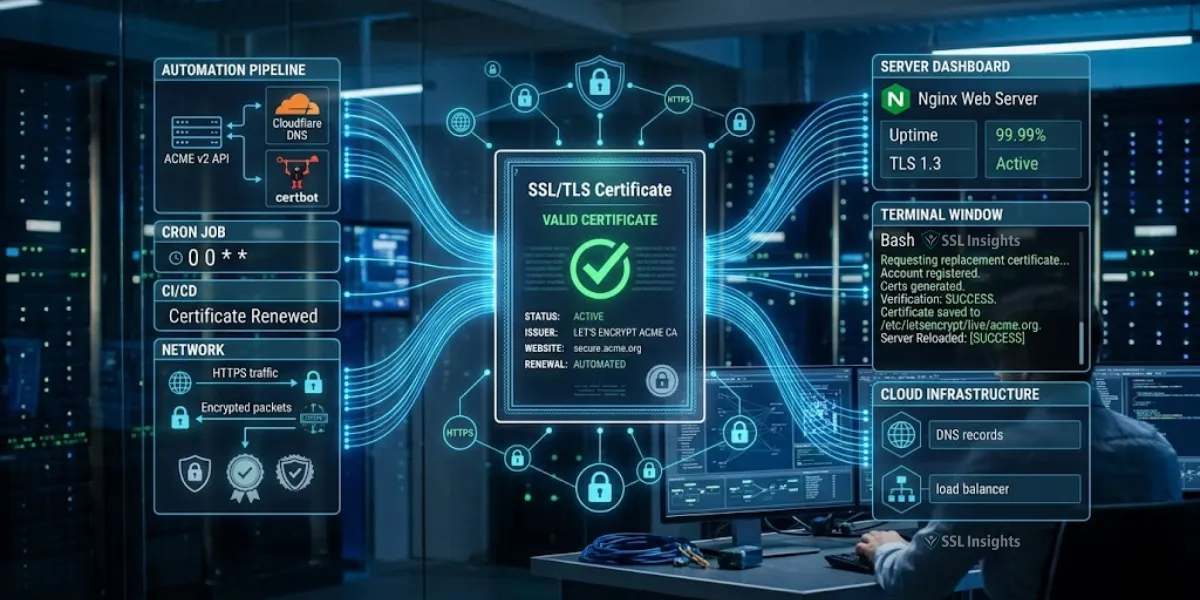
ACME (Automated Certificate Management Environment) is an IETF-standardised protocol - published as RFC 8555 in March 2019 - that lets a web server request, validate, and install TLS certificates from a Certificate Authority without any human intervention. It works by proving domain ownership through automated challenges, then retrieving a signed certificate in the same exchange. For any site or service where manual renewal is operationally risky, ACME is the direct solution.
ACME Workflow at a Glance
1. ACME Client Requests Certificate
2. Certificate Authority Issues Challenge
3. Domain Ownership Validation
4. Certificate Issuance
5. Certificate Installation
6. Automatic Renewal Scheduling
The ACME protocol automates TLS certificate issuance and renewal by running a cryptographic challenge-response sequence between your server and a Certificate Authority. You install an ACME client such as Certbot, point it at your domain, select an HTTP-01 or DNS-01 challenge type, and the client handles every subsequent renewal without further input. Google's push toward 90-day certificate lifetimes makes this automation no longer optional for production environments - it is the only scalable path forward.
What Is the ACME Protocol and Why Does It Matter?
ACME replaces the manual workflow of generating a CSR, emailing it to a CA, downloading the resulting certificate, and uploading it to the server. The entire sequence runs programmatically via HTTPS API calls. Let's Encrypt issued its first certificate using ACME in 2015 and has since issued over 4 billion certificates per the organisation's own public statistics - making ACME the most widely deployed certificate automation standard by a significant margin.
Two forces drive adoption. First, TLS certificate validity periods have shortened: the industry maximum dropped from 3 years in 2018 to 1 year in 2020, and major browsers now push for 90-day maximum lifetimes. Second, expired certificates cause immediate, visible downtime - browsers block access entirely, not just warn users. Manual tracking across dozens of domains at 90-day cycles is error-prone by design.
ACME Protocol Benefits
- Eliminates manual certificate renewals
- Reduces downtime caused by expired certificates
- Supports wildcard SSL certificates
- Improves security through frequent certificate rotation
- Scales easily across multiple servers and domains
- Works with cloud, container, and Kubernetes environments
How Does ACME Domain Validation Actually Work?
ACME defines three challenge types. Each one proves you control the domain before the CA signs the certificate. Understanding which challenge to use is the most common decision point in any ACME deployment.
| Challenge Type | How It Works | Works Behind Firewall? | Wildcard Support | Best For |
| HTTP-01 | Client places a token at /.well-known/acme-challenge/ on port 80 | No | No | Single public-facing servers |
| DNS-01 | Client writes a TXT record to your DNS zone | Yes | Yes | Internal servers, wildcard certs |
| TLS-ALPN-01 | Client serves a special TLS handshake on port 443 | No | No | Environments where port 80 is blocked |
DNS-01 is the challenge type recommended for any non-trivial setup. It supports wildcard certificates, works regardless of firewall rules, and is the only option for internal certificate renewal where the ACME server cannot reach port 80 or 443 on your host.
Need a TLS Certificate?
Buy an SSL Certificate - Trusted by 10,000+ Sites
Get DV, OV, or EV SSL certificates from Sectigo, DigiCert, and GlobalSign. Instant issuance. Works with any ACME client.
From $7.95/yr · 30-day money-back guarantee · 256-bit encryption
ACME vs Manual SSL Certificate Renewal
| Feature | ACME | Manual Renewal |
| Automation | Yes | No |
| Renewal Errors | Low | High |
| Scalability | Excellent | Poor |
| Wildcard Support | Yes | Yes |
| Operational Effort | Minimal | High |
How Do You Set Up Certbot for Automated TLS Renewal?
Certbot is the reference ACME client maintained by the Electronic Frontier Foundation. It works on Apache, Nginx, and as a standalone tool. The following steps apply to an Ubuntu 22.04 server running Nginx, which covers the most common deployment scenario.
- 1
Install Certbot via Snap - Snap packages receive automatic updates, which keeps the ACME client itself current. Runsudo snap install --classic certbot, thensudo ln -s /snap/bin/certbot /usr/bin/certbotto add it to your PATH. - 2
Obtain your first certificate - Runsudo certbot --nginx -d yourdomain.com -d www.yourdomain.com. Certbot modifies your Nginx config automatically and places certificate files under/etc/letsencrypt/live/yourdomain.com/. - 3
Verify the renewal timer - Certbot installs a systemd timer on installation. Confirm it is active withsudo systemctl status snap.certbot.renew.timer. The timer runs twice daily and renews certificates with fewer than 30 days remaining. - 4
Run a dry-run test - Executesudo certbot renew --dry-runto confirm the renewal process works end-to-end without issuing a real certificate. A successful dry-run eliminates 90% of surprise renewal failures. - 5
Configure post-renewal hooks - Place a reload script in/etc/letsencrypt/renewal-hooks/post/- for example,systemctl reload nginx- so the web server loads the new certificate file immediately after each renewal.
At the SSL Insights team's level of practice across dozens of server setups, the single most common failure point is the missing post-renewal hook. The certificate renews, but the server keeps serving the old file from memory until someone manually reloads it.
Which ACME Clients Should You Use in 2026?
Certbot is the default choice for Linux-based servers, but it is not the only production-ready option. The right client depends on your operating system, web server stack, and whether you need multi-server or enterprise features.
| Client | Platform | DNS-01 Automation | Wildcard | Notable Feature |
| Certbot | Linux | Yes (plugins) | Yes | Official EFF client, Nginx/Apache native |
| win-acme | Windows / IIS | Yes | Yes | GUI + CLI, Windows Task Scheduler integration |
| acme.sh | Linux / macOS | Yes (140+ DNS APIs) | Yes | Zero-dependency shell script, cron-native |
| Caddy | Cross-platform | Yes | Yes | ACME built into the web server itself |
| Traefik | Docker / K8s | Yes | Yes | Automatic cert management for containerised apps |
For Windows IIS environments, win-acme is the correct choice. For containerised workloads, Traefik or cert-manager (Kubernetes) integrates ACME directly into the orchestration layer, removing any per-server configuration entirely.
What Are the Most Common ACME Setup Mistakes?
Skipping the DNS propagation wait is the error that causes the most DNS-01 failures. When you automate DNS record creation, most ACME clients write the TXT record and immediately ask the CA to verify it. But DNS propagation can take up to 60 seconds even on fast resolvers. Clients like acme.sh handle this with a built-in --dnssleep 60 flag; Certbot relies on the DNS plugin to handle it. Always verify your DNS plugin includes a propagation delay.
The second frequent mistake is running the ACME client as root without isolating the private key directory permissions. The TLS 1.3 specification requires forward secrecy, which depends on your private key remaining uncompromised. Set /etc/letsencrypt/ to mode 700 and owned by root only. No other system process needs read access.
Does ACME Work with Paid SSL Certificates?
ACME is not limited to Let's Encrypt. Several commercial CAs now offer ACME endpoints, including Sectigo, DigiCert, and ZeroSSL. This means you can use Certbot or acme.sh to automate renewal of paid OV and EV certificates while keeping the identity-validation benefits those certificate types provide.
To switch an ACME client to a non-Let's Encrypt CA, you register a new account with that CA's ACME directory URL. With Certbot, pass --server https://acme.ca-name.com/directory during initial registration. With acme.sh, set --server [URL]. The rest of the challenge and renewal workflow is identical because all conforming CAs implement RFC 8555.
SSL Insights tracks and compares certificate offerings across major CAs. DV certificates issued via ACME from commercial providers can cost under $8 per year, while OV certificates with organisation validation start around $30 per year - still far cheaper than the operational cost of a single missed manual renewal.
Frequently Asked Questions About ACME Protocol Setup
How often does Certbot renew certificates automatically?
Certbot checks for pending renewals twice daily via its systemd timer or cron job. It renews any certificate with fewer than 30 days of validity remaining. With 90-day Let's Encrypt certificates, this means the renewal runs at roughly day 60, giving a 30-day buffer for any failures to be caught and corrected before expiry.
What port does ACME HTTP-01 validation require?
HTTP-01 challenge validation requires port 80 to be open and accessible from the internet. The ACME CA server makes an outbound HTTP request to your domain on port 80 to retrieve the token file. If your server sits behind a firewall or load balancer that blocks port 80 inbound, you must use DNS-01 challenge instead.
Can ACME issue wildcard SSL certificates?
Yes, but only via DNS-01 challenge. HTTP-01 and TLS-ALPN-01 challenges cannot validate wildcard domains such as *.example.com. To issue a wildcard certificate, your ACME client needs API access to your DNS provider to write TXT records automatically. Most major DNS providers - including Cloudflare, Route53, and Namecheap - have plugins available for Certbot and acme.sh.
What is the rate limit on Let's Encrypt ACME issuance?
Let's Encrypt enforces 50 certificate issuances per registered domain per week as of their current policy. A "registered domain" means the eTLD+1 (e.g., example.com regardless of subdomains). You can issue multiple certificates covering different subdomains within that 50-certificate limit. For high-volume environments, Let's Encrypt offers a rate limit increase request process via their support pages.
Does ACME work on Windows Server with IIS?
Yes. win-acme (formerly letsencrypt-win-simple) is the standard ACME client for Windows IIS environments. It integrates with Windows Task Scheduler for automated renewal, handles IIS binding updates automatically, and supports both HTTP-01 and DNS-01 challenges. The win-acme GUI makes initial setup accessible without command-line knowledge.
What happens if an ACME renewal fails?
If a renewal attempt fails, the ACME client logs the error and retries on the next scheduled run. Certbot sends a notification email (configured during setup) when a renewal fails with fewer than 14 days remaining. Let's Encrypt also sends expiry reminder emails to the address used during registration at 20, 10, and 1 day before expiry. Configure both your ACME client alerts and Let's Encrypt expiry emails so you receive two independent failure warnings.
Getting Started with ACME Protocol Automation
ACME protocol setup reduces certificate management from a recurring manual task to a one-time configuration effort. The protocol works across all major CAs, supports every validation challenge type your environment might need, and has production-ready clients for every major platform from Linux to Windows IIS to Kubernetes.
Start with Certbot on Linux or win-acme on Windows IIS - both have the smallest configuration surface and the most community documentation. Switch to DNS-01 challenge from the outset if your environment has any firewall restrictions or wildcard certificate requirements. Run certbot renew --dry-run before trusting any automated setup. And always configure a post-renewal hook that reloads your web server.
For teams running multiple domains, pairing ACME automation with commercially issued OV or EV certificates from a trusted CA gives you both the operational reliability of automation and the identity assurance that DV-only certificates cannot provide. SSL Insights provides side-by-side comparisons of certificate types and pricing to help you make that decision with accurate numbers.
PRACTITIONER'S NOTE
The most under-appreciated step in any ACME deployment is the post-renewal hook. I have seen teams run Certbot correctly for months, only to have their monitoring system trigger on a "certificate mismatch" alert - because the server loaded the new .pem file from disk but Nginx or Apache was still serving the cached old one in memory. The hook takes 30 seconds to configure and prevents that category of incident entirely.
For DNS-01 automation, always test your DNS API credentials in a staging environment first. API token permission scopes vary by provider: Cloudflare, for example, requires an "Edit DNS zone" scoped token, not a full Global API key. Scoping the token tightly also limits blast radius if that credential is ever exposed.
If you are managing more than ten domains, switch from per-server ACME client management to a centralised certificate management tool early. Retrofitting centralised management after scaling is significantly harder than building it in from the start.
– SSL Insights Editorial Team | TLS & PKI Specialists, SSL Insights

Priya Mervana
TLS & PKI Research Team, SSL Insights
ACME is not just a convenience feature - it is the only credible answer to 90-day certificate lifetimes at any meaningful scale. Teams that still rely on calendar reminders and manual CSR submissions will face an exponentially growing operational burden as certificate lifetimes continue to shorten. Every hour spent setting up ACME automation returns hundreds of hours over the life of the infrastructure.
Secure Your Domain Today
Buy an SSL Certificate from a Trusted CA
Compare DV, OV, and EV certificates from Sectigo, DigiCert, RapidSSL, and more. All certificates work with ACME clients including Certbot, win-acme, and acme.sh.
Prices from $7.95/yr · Instant issuance on DV certs · Expert support included