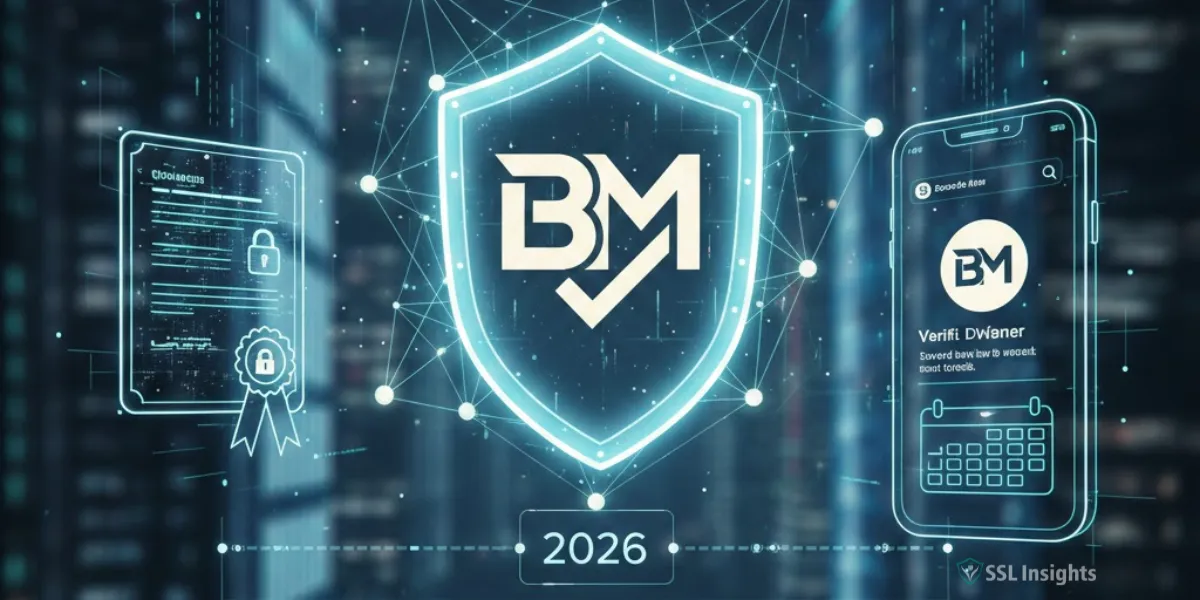
BIMI (Brand Indicators for Message Identification) and Verified Mark Certificates (VMCs) work together to display your trademarked logo directly in email inboxes - turning your brand identity into a visible trust signal before recipients open a single message. A VMC is the digital credential that certifies your logo belongs to your domain. Without one, Gmail will not show the authenticated blue checkmark next to your sender name. If your goal is to reduce phishing risk and improve email engagement at the same time, getting BIMI and a VMC right is the most direct path to both outcomes.
What Is a Verified Mark Certificate?
A Verified Mark Certificate is a specialized X.509 digital certificate issued by an authorized Certificate Authority (CA) that cryptographically binds your organization's registered trademark to your domain. Think of it as the email equivalent of the blue verification checkmark on social media - except it is backed by a legally registered trademark and independent third-party validation.
VMCs differ from standard TLS certificates in one important way: verification goes beyond domain ownership. The issuing CA checks that your logo is a registered trademark with a recognized intellectual property office, confirms your organization's identity through a video call, and validates that your SVG logo file meets precise formatting requirements.
Once issued, the VMC is a Privacy Enhanced Mail (PEM) file you host on a public web server. Your BIMI DNS record points directly to that file.
How Do BIMI and VMC Work Together?
When an inbox provider receives a message from your domain, it runs a sequence of checks before displaying your logo.
- SPF and DKIM authentication: The receiving server verifies the message genuinely came from your domain.
- DMARC enforcement check: The server confirms your domain has a DMARC policy set to p=quarantine or p=reject with pct=100. A p=none policy does not qualify.
- BIMI record lookup: The server queries your DNS for a BIMI TXT record at default._bimi.yourdomain.com.
- VMC validation: The server fetches the VMC PEM file from the URL in the BIMI record's a= tag and verifies the certificate chain back to a trusted root.
- Logo display: If all checks pass, your logo appears in the inbox avatar slot. Gmail additionally shows the blue authenticated checkmark.
The entire sequence happens in milliseconds. Recipients see your verified logo - a signal no phishing actor can replicate because they cannot obtain a VMC for a trademark they do not legally own.
What Is the Difference Between a VMC and a CMC?
The two mark certificate types serve different needs depending on your trademark status and the inbox providers you want to support.
|
Feature |
VMC (Verified Mark Certificate) |
CMC (Common Mark Certificate) |
|
Trademark required |
Yes - registered trademark |
No - prior use sufficient |
|
Gmail blue checkmark |
Yes |
No |
|
Yahoo / AOL support |
Yes |
Yes |
|
Apple Mail support |
Yes (DigiCert only) |
Yes |
|
Approximate cost |
~$1,000–$1,500/year |
Lower, varies by CA |
|
Best for |
Enterprises, established brands |
Smaller businesses, faster setup |
The most important distinction for most senders is the Gmail blue checkmark. Gmail will not display the verified badge unless a valid VMC is present. CMCs unlock logo display in Yahoo Mail and several other providers - but only a VMC triggers Gmail's highest trust signal.
What Are the Prerequisites for Getting a VMC?
Getting a VMC requires meeting four categories of requirements. Confirming each before you start will save significant time.
1. Email Authentication Stack
Your domain needs SPF and DKIM active, plus DMARC enforced at p=quarantine or p=reject with pct=100. DMARC at p=none will not qualify, and no inbox provider will process a BIMI record without enforcement in place.
2. Trademark Registration
Your logo must be registered with a recognized intellectual property office. As of September 2025, VMC guidelines recognize 17 offices including the USPTO (United States), EUIPO (European Union), IPO (United Kingdom), and IP Australia. The trademark must not expire within 397 days of issuance. If your trademark is pending or in an unrecognized jurisdiction, you cannot yet apply.
3. Logo Format
Your logo must be in SVG Tiny 1.2 Portable/Secure (SVG P/S) format. Standard design software exports will not pass validation. The file must use a 1:1 aspect ratio, include a non-transparent background, and contain no scripts, external references, or animations. The BIMI Working Group provides an Illustrator export script that converts SVG Tiny 1.2 files into the correct format automatically.
4. Identity Verification
The CA requires notarized ID documents and a video call with a member of their validation team. This mirrors the process used for extended validation TLS certificates and exists to prevent impersonation.
How Do You Set Up BIMI Step by Step?
Work through these six stages in order - skipping ahead before earlier stages are confirmed will create problems that are hard to diagnose.
- Achieve DMARC enforcement - Shift your policy from p=none to p=quarantine or p=reject. Monitor authentication reports first to ensure no legitimate sending sources are failing.
- Prepare your SVG logo - Convert to SVG P/S format and run it through the BIMI Group Inspector to validate compliance before submitting to a CA.
- Register your trademark - If your logo is not yet trademarked, begin the process in your jurisdiction. Registration can take 6–18 months, so this is often the longest step.
- Purchase a VMC - Current authorized issuers include DigiCert and GlobalSign. DigiCert is the only CA whose VMCs Apple accepts. You need one certificate per unique logo and per unique base domain.
- Host the PEM file and SVG - Place both on a stable public HTTPS server. Any downtime or URL change will break logo display immediately.
- Publish your BIMI DNS record - Add a TXT record at default._bimi.yourdomain.com with the format: v=BIMI1; l=https://yourdomain.com/logo.svg; a=https://yourdomain.com/vmc.pem
After publishing, run Valimail's free BIMI checker to confirm everything resolves correctly. Gmail logo display can take up to 48 hours to appear after a valid record goes live.
Which Inbox Providers Support BIMI?
As of early 2025, more than a dozen inbox providers have adopted the BIMI standard. Their requirements differ in ways that affect your implementation choices.
|
Inbox Provider |
VMC Required |
CMC Accepted |
Blue Checkmark |
|
Gmail |
Yes |
No |
Yes (VMC only) |
|
Yahoo Mail |
No (optional) |
Yes |
No |
|
AOL |
No (optional) |
Yes |
No |
|
Apple Mail (iCloud) |
Yes (DigiCert only) |
Yes |
No |
|
Fastmail |
Yes |
Yes |
No |
Microsoft Outlook has not adopted BIMI as of early 2025. But brands that fully implement BIMI can expect logo display across more than 90% of emails sent, based on combined inbox market share data from Oracle's analysis using Litmus figures. BIMI adoption increased 53.45% between September 2023 and September 2024, reaching 22,631 of the top 10 million domains, according to Wombatmail's BIMI domain adoption study (January 2025).
Why Your CA Choice Affects BIMI Display
Not all authorized CAs are equal - the trust decisions made by individual inbox providers directly affect which certificates they honor. DigiCert and GlobalSign are the two CAs currently authorized to issue VMCs. But as of November 2024, Apple stopped accepting Entrust certificates issued on or after November 15, 2024. If Apple Mail is part of your audience, DigiCert is the only safe choice for a VMC.
Every VMC is logged to a Certificate Transparency log - the same public auditing infrastructure used for TLS certificates. If a CA's trust status changes, affected certificates become traceable and may stop being honored. Monitoring CA trust status is part of maintaining uninterrupted BIMI display.
Lay the Authentication Foundation First
BIMI and VMC implementation is a sequential process. DMARC enforcement must come first - without a p=quarantine or p=reject policy covering 100% of your mail, no inbox provider will process your BIMI record. Confirm all legitimate sending sources pass authentication before tightening policy strength. Then pursue logo preparation and trademark verification in parallel. The VMC application is the fastest stage once all prerequisites are in place. Brands that complete this sequence gain an inbox presence that no subject line test can replicate - because your verified logo is visible before the email is opened.
Frequently Asked Questions
Do I need a VMC for BIMI to work at all?
Not for every provider. Yahoo Mail and AOL display logos from self-asserted BIMI records without any certificate. But Gmail requires at minimum a CMC, and only a VMC triggers Gmail's blue authenticated checkmark. For any strategy targeting Gmail users, a mark certificate is necessary.
How long does the VMC application process take?
Once you submit all required documents - notarized ID, trademark registration proof, and a compliant SVG file - most CAs issue the certificate the same day. The longest delays come from trademark registration, which must be completed before you apply.
What happens if my VMC expires?
Your logo stops displaying in Gmail and any provider requiring a valid certificate. VMCs have a maximum validity of 397 days. Set a renewal reminder ahead of that limit to avoid any gap in display.
Can I use BIMI on a subdomain?
Yes, but your top-level organizational domain must also carry DMARC enforcement. The BIMI record and VMC should match the domain shown in the email's From: header.
Is BIMI only realistic for large enterprises?
The trademark requirement creates a real barrier for smaller organizations. A CMC offers a more accessible path for businesses using a logo for over a year without formal registration. Gmail's blue checkmark remains unavailable through a CMC, but logo display in Yahoo, AOL, and Apple Mail is still achievable.
How many VMCs do I need for multiple brands?
One per unique logo and one per unique base domain. If you operate three brands with distinct logos, you need three separate VMCs. Consolidating to a single sending domain and logo reduces ongoing certificate costs.

Priya Mervana
 Verified Web Security Experts

Priya Mervana is working at SSLInsights.com as a web security expert with over 10 years of experience writing about encryption, SSL certificates, and online privacy. She aims to make complex security topics easily understandable for everyday internet users.