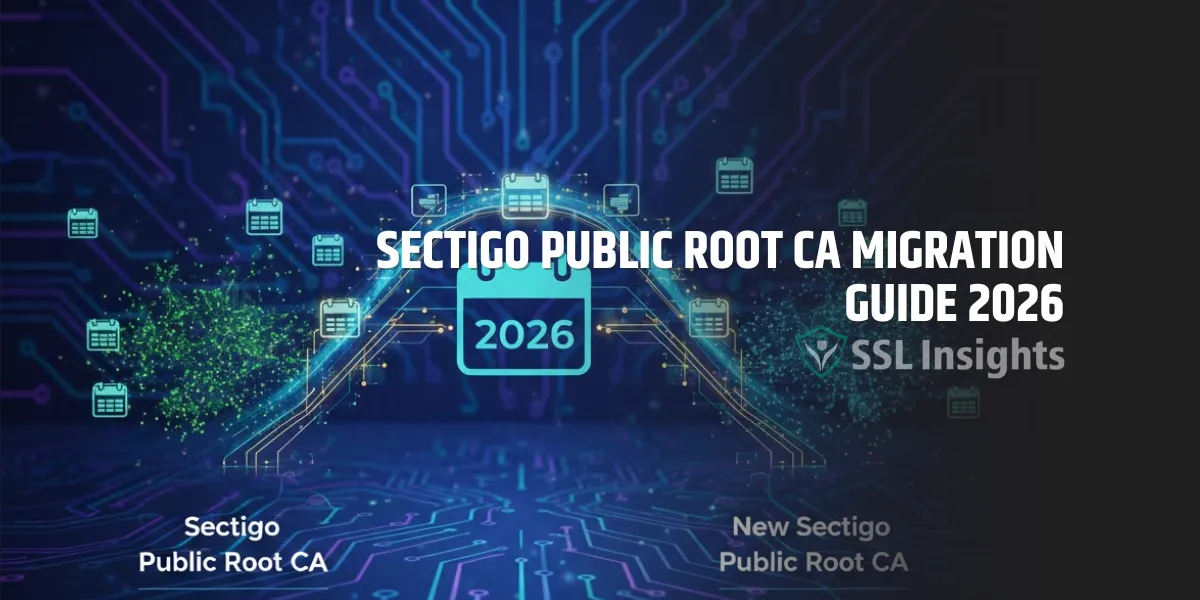
The Sectigo Public Root CA migration requires all active SSL/TLS certificates chaining to Sectigo’s older AddTrust External CA Root and USERTrust RSA roots to be reissued under the newer Sectigo root hierarchy before browser and OS trust stores complete their deprecation cycle. As of early 2026, Sectigo has been transitioning its public PKI infrastructure to roots with longer validity windows and stronger algorithm support. If your certificates still chain through legacy Comodo-era intermediates, they are at risk of generating trust errors once major root programs finalize their removal schedules.
What is the Sectigo Public Root CA?
The Sectigo Public Root CA is a self-signed certificate authority root operated by Sectigo (formerly Comodo CA) that anchors the trust for millions of SSL/TLS, S/MIME, and code signing certificates. When a browser validates your certificate, it traces the chain back to a root certificate that lives in its trust store. The Sectigo Public Root CA – specifically the 2010-era USERTrust RSA Certification Authority – is the anchor Sectigo has used for most of its commercial certificates. The migration moves certificates from older cross-certified roots to roots with validity extending to 2038 or beyond.
Why Is Sectigo Migrating Its Root CA?
Sectigo is migrating its root CA primarily because major browser and operating system vendors are enforcing stricter root age policies, and the older AddTrust External CA Root expired in May 2020. That expiry caused widespread TLS handshake failures for clients that didn’t update their trust stores promptly.
The deeper driver is the CA/Browser Forum and platform-specific root programs (Google Chrome Root Program, Apple Root Program, Mozilla NSS) progressively removing roots that fail to meet newer standards for key size, algorithm choice, or operational transparency. Roots that were accepted in 2005-2010 are being sunset. Sectigo’s migration aligns its new root infrastructure – including the ECDSA-based roots – with requirements that will govern certificate trust well into the next decade.
What Certificates Are Affected?
Certificates affected by the Sectigo root migration are those whose chain of trust passes through legacy intermediates cross-certified from AddTrust or old USERTrust RSA roots. To identify whether your certificates are affected, check three things:
- Issuer chain: Does your certificate chain to “USERTrust RSA Certification Authority” or “COMODO RSA Certification Authority”? The Comodo RSA Certification Authority and its sub-intermediates were used extensively before Sectigo’s rebrand.
- Intermediate certificate: What is the exact intermediate being served? Intermediates issued before 2022 may cross-certify through older roots.
- Certificate expiry date: Any certificate expiring before the deprecation deadline may naturally age out, but certificates with validity extending into 2026 and beyond need proactive reissuance.
Products commonly affected include domain validation (DV) and organization validation (OV) SSL certificates, S/MIME email certificates, and client authentication certificates issued under the RSA hierarchy.
How Do You Check Your Current Certificate Chain?
You can check your current Sectigo certificate chain using OpenSSL or any online SSL checker. The goal is to confirm which root your certificate ultimately chains to.
Run this command against your server:
openssl s_client -connect yourdomain.com:443 -showcerts
Look at the output for the topmost certificate in the chain. If it shows “USERTrust RSA Certification Authority” with a notAfter date of 2038, you are already on the new root. If you see “AddTrust External CA Root” or a root expiring in 2020 or 2028 without the updated cross-signature, your chain needs attention.
Browsers display the chain visually when you click the padlock and inspect certificate details. Firefox shows the full path particularly clearly, making it a useful spot-check tool.
What Does the Migration Process Look Like?
The Sectigo root CA migration follows a straightforward reissuance path. No private key replacement is needed – only the certificate itself must be regenerated through Sectigo’s updated issuance infrastructure.
- Log in to your Sectigo account portal (or your reseller’s certificate management platform) and locate the affected certificate.
- Initiate a reissuance request – this does not consume an additional license and does not change your expiry date.
- Complete domain control validation (DCV) again if required, using the same method you used originally (DNS CNAME, file-based, or email).
- Download the new certificate bundle, which will include the updated intermediate and the new root.
- Install the new bundle on your server, replacing the old certificate and intermediate files. The private key file stays the same.
- Verify the new chain using OpenSSL or an SSL checker to confirm the root has changed to the target root.
The new certificate should chain to either “Sectigo Public Server Authentication Root E46” (for ECC certificates) or “Sectigo Public Root CA R46” (for RSA), both of which have notAfter dates of 2046.
|
Old Root |
New Root |
Key Type |
Root Expiry |
|
USERTrust RSA CA (2010) |
Sectigo Public Root CA R46 |
RSA 4096 |
2046 |
|
AddTrust External CA Root |
Sectigo Public Root CA R46 |
RSA 4096 |
2046 |
|
USERTrust ECC CA (2010) |
Sectigo Public Server Authentication Root E46 |
ECC P-384 |
2046 |
The R46 and E46 roots entered browser and OS trust stores progressively from 2022 onward. As of January 2026, they hold trust in Chrome, Firefox, Safari, Microsoft, and Android trust stores.
Do You Need to Update Your Server’s Trust Store?
Updating your server’s trust store is only necessary if your server performs client certificate validation, or if your application stack uses a pinned or custom trust store that doesn’t pull from the OS root store. Standard web servers (Apache, Nginx, IIS) trust the OS-managed root store automatically and don’t require manual root updates for the migration.
Java applications are a known exception. Java maintains its own trust store (cacerts), and it may not include newer Sectigo roots depending on your JDK version. According to the Java SE release notes from Oracle, root certificate additions vary by JDK release. For JDK 11 and earlier, manual updates to the cacerts file may be required. JDK 17+ includes more current CA roots.
For applications using a system trust store vs. custom bundle approach, verify that the Sectigo R46 or E46 root is explicitly listed before cutting over to reissued certificates in production.
What Is the Timeline for the Root Deprecation?
The exact deprecation timeline for legacy Sectigo roots varies by platform. Chrome’s root store is managed independently through the Chrome Root Program, while Mozilla NSS governs Firefox. Apple and Microsoft manage their own separate schedules.
As of early 2026, no major platform has issued a hard removal date for USERTrust RSA CA in the near term. But the trend across all root programs points in one direction: older roots with 20-year validity periods are being flagged for review, and any root involved in compliance incidents faces accelerated removal. Sectigo has communicated to certificate holders that proactive migration is the right path rather than waiting for a forced cutover.
Google’s Chrome Root Program policy specifies that all roots must meet its “moving forward” requirements – including multi-perspective domain validation and regular CA audits – or face distrust. Roots that pre-date these requirements are grandfathered only temporarily.
Take Action Before the Trust Chain Breaks
Running a certificate on a deprecated root chain is a timed risk, not a theoretical one. The migration path Sectigo has provided is low-friction – no new private key generation, no downtime, no additional cost. Audit your current certificates now using OpenSSL or your certificate management platform, identify any chain that passes through AddTrust or pre-2022 USERTrust intermediates, and initiate reissuance. For environments managing root CA vs intermediate CA chains across multiple servers, a systematic inventory before you start will save troubleshooting time later. The R46 and E46 roots are already trusted everywhere that matters – getting your certificates onto them is the only step remaining.
Frequently Asked Questions
Will my website go down if I don’t migrate before the deadline?
Not immediately, since no single hard cutover date has been announced for all platforms. But browser vendors can move quickly – the AddTrust expiry in 2020 caused failures within hours for affected systems. Waiting until a deadline is confirmed before acting significantly increases operational risk.
Does reissuing a certificate extend its expiry date?
No. A reissued certificate retains its original expiry date. If your certificate expires within the next 60–90 days, it is more practical to simply renew it, which will automatically issue under the new root infrastructure.
Do I need to pay for reissuance?
Reissuance within an active certificate’s validity period is included at no extra cost from Sectigo. If purchased through a reseller, confirm with them directly – policies are generally the same, but some platforms may require a support ticket to initiate the process.
How do I know which intermediate certificate to install?
Download the complete certificate bundle from Sectigo’s certificate portal after reissuance. The bundle includes the correct intermediate for your certificate type. Never install only the end-entity certificate without its matching intermediate, as most servers don’t automatically pull intermediates from AIA records reliably.
Are S/MIME and code signing certificates affected the same way as TLS certificates?
Yes. S/MIME and code signing certificates issued under the same legacy Sectigo/USERTrust RSA hierarchy follow the same reissuance path. Email clients and operating systems validate the full chain for these certificate types too, so affected S/MIME certs should be reissued and redistributed to contact lists.
What if I bought my certificate through a reseller, not directly from Sectigo?
The reissuance process runs through whichever portal you used to purchase the certificate. Sectigo’s back-end infrastructure handles the new root issuance transparently – you just need to initiate the reissuance from your reseller’s management interface the same way you would request any standard reissuance.

Priya Mervana
 Verified Web Security Experts

Priya Mervana is working at SSLInsights.com as a web security expert with over 10 years of experience writing about encryption, SSL certificates, and online privacy. She aims to make complex security topics easily understandable for everyday internet users.