
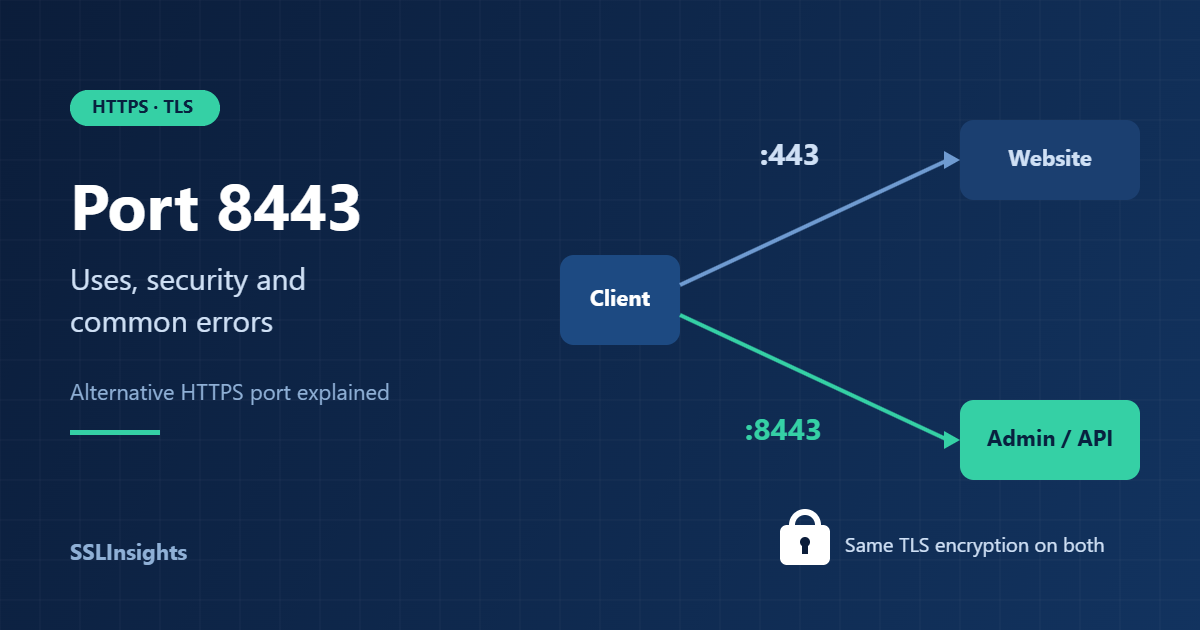
Port 8443 is the most common alternative port for HTTPS. It carries the same TLS-encrypted traffic as port 443, but on a non-standard number, so applications can run a secure web interface without taking over the main HTTPS port. IANA lists TCP 8443 as "pcsync-https", yet in practice it's used by Apache Tomcat, hosting control panels, network controllers, development servers and HTTPS proxies. Because browsers don't use it by default, addresses on this port always include it explicitly: https://example.com:8443.
What is port 8443 used for?
Apache Tomcat is the best-known example: its default configuration defines an SSL connector on 8443, which is why many Java applications expose their HTTPS interface there. Plesk serves its control panel on 8443, Ubiquiti's UniFi Network application uses it for the controller's web interface, and minikube runs the Kubernetes API server on 8443 by default.
Developers pick 8443 for the same reason they pick 8080 for plain HTTP. Ports below 1024 require elevated privileges on Linux and macOS, so a service running as a normal user can't bind to 443 without extra configuration. A reverse proxy or load balancer then listens on 443 and forwards traffic to the application on 8443.
Proxy providers use it as well. An HTTPS proxy, where the connection from your client to the proxy itself is encrypted, often listens on 8443 so it doesn't collide with web servers on 443 or plain HTTP proxies on 8080.
Port 8443 vs port 443
| Port 443 | Port 8443 | |
|---|---|---|
| Role | Standard HTTPS port | Alternative HTTPS port |
| In the URL | Implied, not shown | Must be written: :8443 |
| Privileges to bind (Linux, macOS) | Root or a capability | Regular user |
| Typical use | Public websites and APIs | Admin panels, Tomcat, controllers, dev servers, HTTPS proxies |
| Corporate firewalls | Almost always open outbound | Sometimes blocked outbound |
The encryption is identical: TLS works the same way on any port, and the certificate rules don't change. What differs is reachability. Some office and public Wi-Fi networks allow outbound traffic only on 80 and 443, so a service on 8443 can be unreachable from those networks even when it works everywhere else.
Is port 8443 secure?
The port number doesn't make a connection secure or insecure; the TLS configuration does. A service on 8443 with a valid certificate, TLS 1.2 or 1.3 and modern cipher suites is as safe as one on 443. A service that answers on 8443 with plain HTTP, an expired certificate or outdated protocols is not.
The real risk with 8443 is exposure. Because it often hosts admin panels, internet-wide scanners probe it constantly. If a control panel on 8443 doesn't need to be public, restrict it to your office or VPN addresses in the firewall, and keep the software behind it updated.
How to check if port 8443 is open
On the server, check whether something is listening:
# Linux
sudo ss -tlnp | grep 8443

# Windows (PowerShell)
Get-NetTCPConnection -LocalPort 8443 -State Listen
From another machine, test reachability and inspect the certificate:
# Windows (PowerShell)
Test-NetConnection example.com -Port 8443

# Any system with nmap or OpenSSL
nmap -p 8443 example.com
openssl s_client -connect example.com:8443 -servername example.com
The openssl s_client output shows the certificate chain, the negotiated TLS version and the cipher, which is usually enough to diagnose an error on this port.
Common port 8443 errors
ERR_SSL_PROTOCOL_ERROR in Chrome, SSL_ERROR_RX_RECORD_TOO_LONG in Firefox or wrong version number in curl usually mean the service on 8443 is answering with plain HTTP. Try http:// instead of https://, or enable the TLS connector in the application's configuration.
ERR_CONNECTION_REFUSED means nothing is listening on the port, or a firewall is rejecting the connection.
ERR_CONNECTION_TIMED_OUT points to a firewall that drops packets silently, often on the client's network rather than the server's.
NET::ERR_CERT_COMMON_NAME_INVALID appears when the certificate doesn't match the address in the URL. This is common on 8443, because admin panels are often opened by IP address while the certificate was issued for a hostname, or the panel uses a self-signed certificate created during installation. The fix is a certificate whose Subject Alternative Name contains the exact name or IP address you connect to.
Port 8443 in HTTPS proxies
A regular HTTP proxy, usually on 8080, receives your first request in plain text. When you open an HTTPS site through it, the CONNECT line with the target hostname and the Proxy-Authorization header with your proxy credentials cross the network unencrypted before the tunnel to the site is set up. An HTTPS proxy wraps that first leg in TLS, so the credentials and the target name are encrypted from the first packet.
For this to work without errors, the proxy needs a valid certificate that matches the address the client connects to, and proxies are usually addressed by IP. FineProxy issues an SSL certificate for each of its proxy IPs and encrypts the client-to-proxy leg with TLS 1.3. Its HTTPS proxies listen on 8443 for login-and-password access and on 8444 for IP allowlist access, with HTTP/2 supported. When the target site also uses HTTPS, both legs are encrypted: your client to the proxy, and the tunnel from your client to the site. For sites still on plain HTTP, the leg from the proxy to the site stays unencrypted, as it would without a proxy.
Not every tool supports HTTPS proxies, so a regular HTTP mode remains available. In curl, an HTTPS proxy is set with the https:// scheme in the proxy address:
curl -v --proxy https://USER:PASS@PROXY_IP:8443 https://example.com/In the verbose output, look for a TLS handshake with the proxy before the CONNECT request; with a plain HTTP proxy, CONNECT appears first.
FAQ
Is port 8443 the same as port 443?
No. Both carry HTTPS, but 443 is the standard port that browsers use automatically, while 8443 must be specified in the address.
Can I run a website on port 8443 instead of 443?
Yes, but visitors would have to type :8443, and some networks block it. For public sites, keep 443 and forward traffic to 8443 internally if needed.
Should I close port 8443?
Yes, if nothing on the server uses it. If an admin panel does, limit access to trusted IP addresses rather than leaving it open to the internet.