
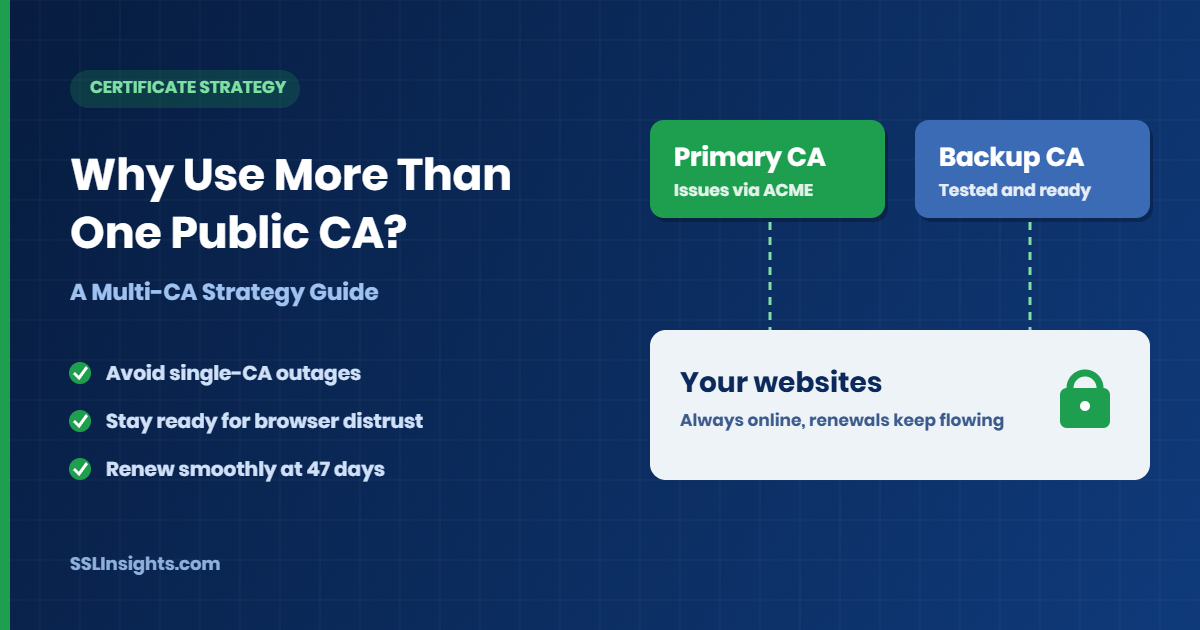
Using more than one public certificate authority (CA) keeps your websites online when a single CA fails. A second, tested CA can issue certificates during outages, browser distrust events, or validation delays.
Certificate lifetimes are also shrinking toward 47 days by 2029, so renewals will happen far more often. As a result, each CA's reliability matters more every year.
Quick Definition
A multi-CA strategy lets an organization order certificates from two or more public CAs. Written rules decide which CA issues which certificates and when to switch. Both CAs hold current validation, so either can issue on short notice.
Why Does Relying on One CA Create Risk?
A single CA is a single point of failure, since every certificate it issues depends on that CA staying trusted. An outage, distrust decision, or mass revocation can then force replacements across every site, with little warning.
The risk is not hypothetical. In 2024, Chrome announced it would stop trusting newly issued Entrust TLS certificates from November of that year.
Typical single-CA failure points include:
- Issuance delays that block renewals and cause SSL certificate outages.
- Browser trust removal for a CA's roots or issuing hierarchies.
- Mass revocation after a compliance problem.
- Account, billing, or contract issues that pause ordering.
How Do Shorter Certificate Lifetimes Raise the Stakes?
Certificate lifetimes are shrinking, so every site renews and depends on its CA more often. Maximum TLS validity falls from 398 to 47 days by March 2029, per the CA/Browser Forum ballot SC081v3 (April 2025).
The 200-day limit took effect on March 15, 2026, and the 100-day limit follows on March 15, 2027. SSLInsights publishes a full timeline of these steps.
For multi-CA planning, the schedule changes three things:
- Each hostname generates many more renewal requests per year, and each one reaches your CA.
- By 2029, CAs may reuse domain validation data for only 10 days, so pre-validation at a backup CA lapses quickly.
- Manual renewals stop being practical, which makes automation a requirement.
How Do You Set Up a Backup CA Without Rework?
Set up the backup CA before you need it, and test it on low-risk hostnames. Treat the backup CA as a working issuer, not a spare.
- Pick a second CA that supports your validation types, ACME, and the certificate types you use.
- Complete domain or organization validation with the second CA now.
- Update CAA records so both CAs may issue for your domains.
- Automate both CAs in your ACME client or certificate manager, following the 47-day certificate preparation guide.
- Issue a test certificate on a low-risk hostname and deploy it.
- Write a failover rule that names the failures that trigger a switch and who approves it.
Reality Check
A backup CA that has never issued for your domains is a theory, not a plan. Run the test issuance in step 5 before an incident forces it.
What Does ACME Add to a Multi-CA Setup?
ACME is the protocol that lets software request, validate, and renew certificates automatically from a CA. With ACME, switching CAs often means changing a directory URL and account credentials rather than redoing manual orders.
A CA can now suggest renewal times to ACME clients, according to the RFC 9773 specification (June 2025). That helps spread renewal traffic and stops clients from guessing the right moment.
Before adding a second CA, compare major certificate authorities on these points:
- ACME and external account binding support.
- Domain validation methods offered.
- Issuance speed and rate limits.
Which CA Should Issue Which Certificates?
Assign CAs by certificate type and risk, not by splitting traffic evenly. The table below shows illustrative starting points, not fixed rules.
| Certificate use | Starting approach | Why it fits | Trade-off |
|---|---|---|---|
| Public websites and APIs | Primary CA issues through ACME; backup CA pre-authorized | Fast automated renewals and quick switching | Two ACME setups to maintain |
| Wildcard certificates | Validate the base domain at both CAs | Wildcards require DNS validation | Two DNS integrations |
| OV or EV certificates | Finish organization vetting at both CAs early | Vetting takes longer than domain validation | Higher cost and upkeep |
| Low-risk or test hosts | Rotate through the backup CA | Proves the backup works | Extra monitoring |
Rows with strict vetting need the most advance work. Also check each candidate against the trusted root certification authorities before ordering.
What Are the Costs and Trade-Offs of Multiple CAs?
Multi-CA setups cost more effort, not just more money. Each extra CA adds accounts, validation records, and monitoring that someone must maintain.
SSLInsights suggests starting small. Use one primary CA, one tested backup, and a named owner for failover decisions.
Expect these ongoing costs:
- Extra validation work at each CA.
- Different intermediate chains to test on older clients.
- Duplicate monitoring and alerting.
- Possible loss of volume pricing when purchases are split.
Pro Tip
Route a small share of low-risk hostnames through the backup CA each quarter. That keeps its automation proven and its validation current.
What Mistakes Break Multi-CA Plans?
Multi-CA plans usually break on preparation gaps, not on the CAs themselves. Teams can find these gaps in advance.
Watch for these common gaps:
- CAA records that authorize only the primary CA, so the backup cannot issue.
- Backup validation that expired because nobody refreshed it.
- ACME credentials for the second CA stored in only one place.
- Pinned or hardcoded chains that reject the backup CA's chain.
- No owner for the failover decision.
Frequently Asked Questions
Do small websites need more than one CA?
Not at first. A single CA with automated renewals works for a few hostnames. Add a backup once an outage would cost real revenue or when you manage many certificates.
How many public CAs should an organization use?
Two is a practical starting point: one primary and one tested backup. Add more only when separate teams or certificate types justify the extra upkeep.
Can two CAs issue certificates for the same domain?
Yes. Each CA validates the domain on its own, and your CAA records must authorize both.
Does a multi-CA strategy work with wildcard certificates?
Yes. Each CA needs its own DNS validation for the base domain, so plan for two DNS integrations.
Is a multi-CA setup more expensive?
It costs extra effort in validation, monitoring, and testing. Some CAs issue domain-validated certificates at no charge, which can offset part of the fees.
What happens if browsers distrust my CA?
Browsers eventually reject its newly issued certificates, so you must move to another CA. A backup CA with current validation makes that move a routine renewal.