
Verified by SSL Insights Editorial Team - Last reviewed: October 2026 | Web Security Expert, SSLInsights.com | Based on hands-on TLS automation work across web hosting, SaaS, and enterprise PKI environments.
Quick Answer
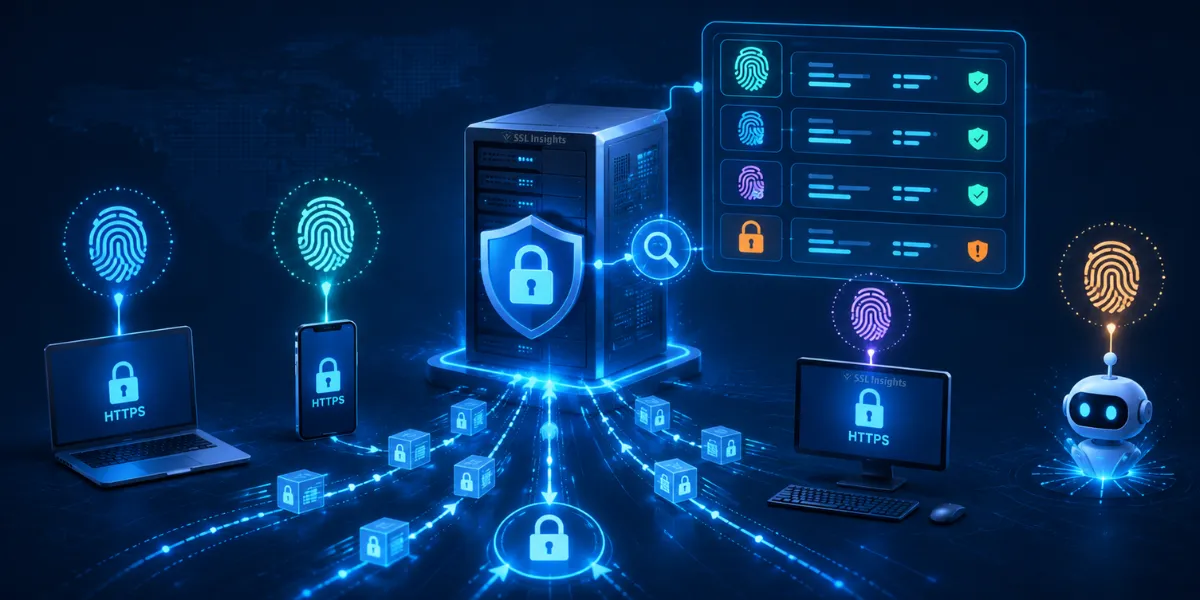
JA3 and JA4 are TLS fingerprinting methods that let servers identify what software a client is running - without seeing any encrypted payload. They work by hashing fields from the TLS ClientHello message, which travels in plaintext before encryption begins. Security teams use these fingerprints to detect malware, bots, and unauthorized clients. JA3 was created at Salesforce in 2017 and produces a 32-character MD5 hash. JA4, released by FoxIO in 2023, improves on JA3 by sorting TLS extensions before hashing, making fingerprints stable even when browsers randomise extension order. Platforms like Cloudflare, AWS, and VirusTotal now use JA4 in production.
TLS fingerprinting: A passive technique that identifies a connecting client's software or library by analysing the parameters it sends in the TLS ClientHello packet during handshake setup. The fingerprint does not require decrypting any traffic.
What Happens During the TLS Handshake?
Before any encrypted data moves, a client sends a ClientHello packet to the server. This packet lists the client’s supported TLS versions, cipher suites, extensions, elliptic curve groups, and point formats - all in plaintext. The server reads these parameters and selects what it supports from the client’s list. Because this exchange is visible on the wire, security tools can read it passively without any decryption. TLS fingerprinting captures that visible data before the session becomes opaque. Learn how the full TLS handshake sequence works for a deeper look at each phase.
The ClientHello is what makes fingerprinting possible. Different browsers, malware samples, or custom HTTP clients each build their ClientHello differently based on the TLS library they use. Chrome, Firefox, curl, and a Python requests script all produce distinct parameter sets, even when connecting to the same server over the same network.
How Does JA3 Fingerprinting Work?
JA3 extracts five numeric fields from the ClientHello: TLS version, cipher suites, extension type IDs, elliptic curve groups, and elliptic curve point formats. It concatenates these values with commas between fields and hyphens between values within a field. The resulting string is then hashed with MD5 to produce a 32-character fingerprint. According to the Salesforce Engineering Blog (2017), JA3 was created by John Althouse, Jeff Atkinson, and Josh Atkins as an open-source tool for network security monitoring.
JA3 also filters out GREASE values before hashing. GREASE (Generate Random Extensions And Sustain Extensibility) consists of placeholder values that Google inserts into ClientHello packets to keep TLS extensions flexible. Removing GREASE prevents those random values from changing the fingerprint on each connection.
Why Did JA3 Become Unreliable Over Time?
JA3 preserves the order in which extensions appear in the ClientHello. This worked well until browsers started randomising that order to avoid being tracked. In 2023, Google updated Chromium to shuffle its extension ordering on each connection, according to FoxIO’s JA4 release on GitHub. This change caused Chrome to produce a different JA3 hash on almost every new connection, generating billions of possible values and making JA3 useless for Chrome identification. Attackers also adopted “cipher stunting” - deliberately randomising cipher order to evade JA3-based detection.
The MD5 algorithm behind JA3 is another limitation. Two different TLS configurations can occasionally produce the same MD5 hash (a collision), which leads to false positives. Security teams using JA3 alone sometimes block legitimate clients that share a fingerprint with known malware.
How Does JA4 Fix JA3’s Problems?
JA4 sorts cipher suites and extension IDs numerically before hashing, which eliminates ordering-based evasion entirely. A client trying to randomise extension order still produces the same JA4 fingerprint, because order is discarded before the hash is computed. JA4 also uses a truncated SHA-256 hash rather than MD5, which reduces collision risk. The fingerprint itself uses a structured three-part format - a_b_c - where each segment is independently searchable. This lets analysts match on just the cipher section or just the extension section without requiring a full fingerprint match.
JA4 also captures the ALPN (Application-Layer Protocol Negotiation) extension, which indicates whether the client wants HTTP/1.1, HTTP/2, or HTTP/3. JA3 did not extract ALPN, so it missed a useful signal for separating browser traffic from API clients or command-and-control tools.
“JA4+ is both human and machine readable, which helps analysts understand what they’re looking at rather than just comparing opaque hashes.”
— John Althouse, FoxIO - JA4+ Network Fingerprinting, FoxIO Blog (September 2023)
JA3 vs JA4 vs JA4+: What Are the Key Differences?
JA4+ is an extended suite released by FoxIO in September 2023 that goes beyond TLS. It adds fingerprinting methods for HTTP headers (JA4H), server responses (JA4S), TCP connections (JA4T), SSH sessions, and QUIC traffic. The table below summarises the core differences between the three methods.
| Feature | JA3 | JA4 | JA4+ |
| Released | 2017 | 2023 | 2023 |
| Hash algorithm | MD5 | SHA-256 (truncated) | SHA-256 (truncated) |
| Extension ordering | Preserved (unstable) | Sorted (stable) | Sorted (stable) |
| TLS 1.3 support | Partial | Full | Full |
| Randomisation-resistant | No | Yes | Yes |
| Protocols covered | TLS | TLS/QUIC | TLS, HTTP, SSH, TCP |
| Adopted by | Suricata, Zeek | Cloudflare, AWS | VirusTotal, NetWitness |
Cloudflare, AWS, VirusTotal, and NetWitness all adopted JA4 in production, according to FoxIO’s public JA4+ documentation (September 2023). Suricata and Zeek continue to support JA3 for backward compatibility with older detection rules.
How Do Servers Use TLS Fingerprints in Practice?
Servers and security platforms use TLS fingerprints in three main ways. First, they compare incoming fingerprints against known-bad databases to flag malware clients without inspecting encrypted payload. Second, they use fingerprints alongside IP reputation and User-Agent headers to detect bots - a client claiming to be Chrome but sending a fingerprint that matches curl is a clear anomaly. Third, they use fingerprints for session continuity checks to detect session hijacking, where a mid-session fingerprint change suggests a different client took over the connection.
For context on why encrypted traffic analysis matters, SSLInsights covers the difference between HTTP vs HTTPS and what encryption protects in transit. TLS fingerprinting operates specifically on the visible pre-encryption handshake data that HTTPS does not hide.
What Are the Limitations of TLS Fingerprinting?
TLS fingerprints identify the TLS library and configuration, not the person or operator behind the connection. One JA3 hash in research by CyberDesserts (May 2026) appeared across four separate malware campaigns simultaneously - from AndroxGh0st credential harvesting to Interlock ransomware - because they shared a common TLS library. This means a fingerprint alone cannot prove malicious intent. It requires correlation with other signals such as destination IP, request timing, and payload behaviour.
Fingerprint spoofing is also possible. A sophisticated attacker can configure their TLS client to mimic Chrome’s exact JA4 fingerprint. Detection systems that rely solely on fingerprints are vulnerable to this. Modern bot management platforms therefore combine TLS fingerprints with HTTP/2 frame ordering, TCP window size, and behavioural patterns to reduce spoofing success rates.
Frequently Asked Questions About JA3 and JA4 TLS Fingerprinting
Can JA3 fingerprints identify individual users?
No. JA3 identifies the TLS library and configuration, not the individual user. Many users running the same browser version on the same OS share an identical JA3 hash. It is a toolkit fingerprint, not a personal identifier.
Do all servers compute JA3 or JA4 fingerprints?
No. Standard web servers do not compute fingerprints by default. Security platforms, CDN edge nodes (such as Cloudflare), and intrusion detection systems like Suricata and Zeek add fingerprinting as a separate capability.
Is JA4 replacing JA3 completely?
Gradually. JA4 is now the preferred method for new detection rules because it is more stable. JA3 remains in use in legacy IDS deployments and existing detection signatures that have not yet been migrated.
Can I check my own browser’s JA3/JA4 fingerprint?
Yes. Several public tools, including tls.browserleaks.com and tlsfingerprint.io, display your browser’s TLS fingerprint when you visit them. The fingerprint changes if you switch browser versions, VPN software, or TLS proxy settings.
Does TLS 1.3 change how fingerprinting works?
TLS 1.3 encrypts more of the handshake than TLS 1.2, but the initial ClientHello still travels in plaintext. Fingerprinting remains possible at the ClientHello stage. JA4 explicitly accounts for TLS 1.3’s cipher and extension sets, where JA3 only has partial support.
What is JARM and how does it relate to JA3/JA4?
JARM is a server-side fingerprinting method, also from FoxIO, that actively probes a server with multiple TLS ClientHello packets and fingerprints how the server responds. JA3/JA4 fingerprint the client; JARM fingerprints the server. Together they can identify both sides of a suspicious connection.
About the Author
SSLInsights Editorial Team - SSLInsights is an independent resource for SSL/TLS education, certificate research, and cybersecurity analysis. The team has covered encryption, PKI, and network security for over 8 years. All articles are reviewed for technical accuracy before publication. Visit SSLInsights.com for more guides on TLS, HTTPS, and certificate management.