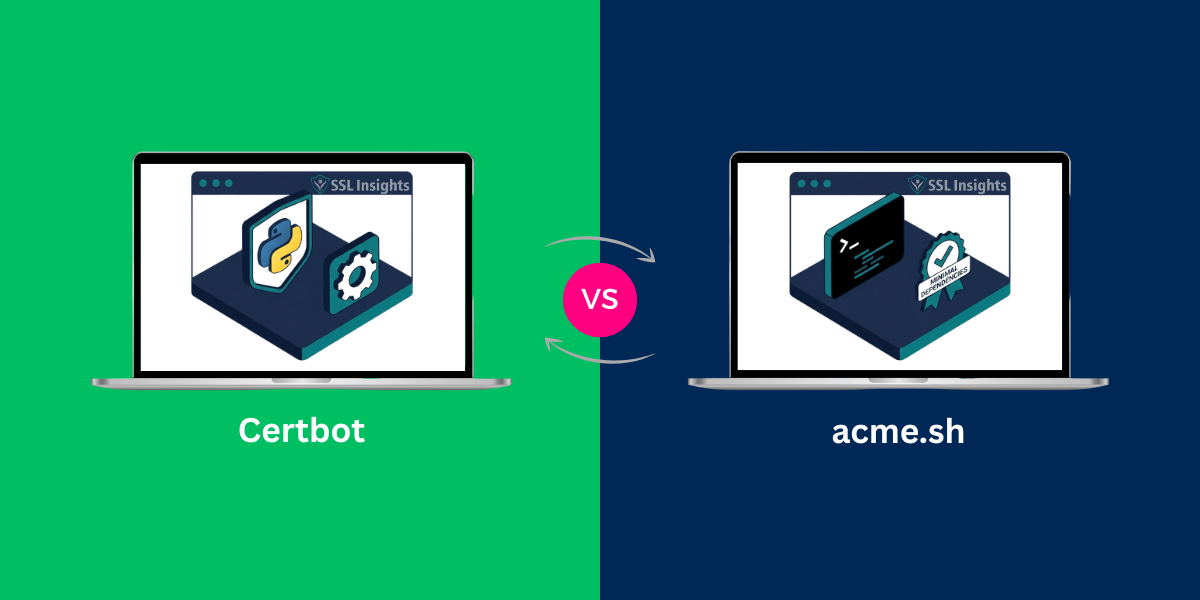
Certbot and acme.sh are the two most widely deployed ACME clients for automating free SSL/TLS certificate issuance and renewal from Let’s Encrypt. Certbot, maintained by the Electronic Frontier Foundation, works best on standard Linux servers where beginners want automatic web server configuration. acme.sh is a pure shell script that runs without root privileges, supports over 150 DNS API providers, and fits any environment from a Raspberry Pi to a bare-metal cloud instance. For most straightforward web servers, Certbot is the faster path to HTTPS. For multi-domain automation, wildcard certificates, or constrained environments, acme.sh is the more capable tool.
What Is an ACME Client?
An ACME client is software that implements the Automated Certificate Management Environment protocol (RFC 8555) to request, validate, and renew TLS certificates from a Certificate Authority without manual intervention. The client proves domain control through an HTTP-01 or DNS-01 challenge, receives a signed certificate, and installs it on the server. Without an ACME client, every certificate renewal would require manual steps every 90 days.
Both Certbot and acme.sh implement the ACMEv2 standard, which means either tool works with Let’s Encrypt, ZeroSSL, or any other ACME-compatible CA. For a broader look at the certificates these tools provision, see the available free SSL certificate options before choosing a client.
What Is acme.sh?
acme.sh is an ACME protocol client written entirely in shell script – bash, dash, and sh compatible – with no external runtime dependencies. Created by Neil Pang and now officially maintained by ZeroSSL, it is distributed as a single script you download and install in your home directory. There is no package manager required, no Python interpreter, and no elevated privileges needed for daily operation.
The project is hosted on GitHub and has accumulated over 38,000 stars, reflecting widespread adoption among sysadmins and DevOps engineers who prioritize lightweight, scriptable tooling. acme.sh stores all certificate data under ~/.acme.sh/ and wires up a daily cron job automatically during installation.
How Does acme.sh Work?
Installing acme.sh takes two commands: clone the repository and run the install script. The installer copies the script to ~/.acme.sh/, creates a bash alias, and registers a cron entry to run daily certificate checks. After that, you issue certificates with a single acme.sh –issue command that specifies your domain and challenge method.
The script stores certificates internally and never expects you to use those files directly in your web server. You copy them to a production path using –install-cert, which also sets a –reloadcmd hook that restarts your web server after each successful renewal. This separation means your server configuration never needs updating when a certificate rotates.
How Does acme.sh Handle DNS Challenges?
acme.sh includes built-in API hooks for over 150 DNS providers, including Cloudflare, AWS Route 53, Google Cloud DNS, Azure DNS, DigitalOcean, and dozens more. Each hook reads credentials from environment variables, creates the required DNS TXT record automatically, waits for propagation, and then deletes the record after validation completes. For providers without an API, a manual DNS mode is available – though that disables automatic renewal.
Wildcard certificates require DNS-01 validation. acme.sh handles this entirely within the shell script. A typical wildcard issuance command looks like:
acme.sh --issue --dns dns_cf -d example.com -d '*.example.com' --keylength ec-256
This single command issues an ECDSA certificate covering both the apex domain and all subdomains. For related reading on managing SSL certificates for subdomains at scale, that guide covers the broader options beyond a single wildcard.
What Is Certbot?
Certbot is an open-source ACME client developed and maintained by the Electronic Frontier Foundation (EFF). It was built specifically to work alongside Let’s Encrypt and remains the CA’s officially recommended starting point for new users. Certbot is written in Python and distributed primarily through Snap on modern Linux distributions, though it remains available via apt on some Debian-based systems.
Because Let’s Encrypt recommends Certbot in its own documentation, it has by far the largest community footprint of any ACME client, with extensive official documentation, active community forums, and first-party support for Apache and Nginx through dedicated plugins. This makes it the most approachable option for administrators setting up HTTPS for the first time.
How Does Certbot Work?
Certbot requests a certificate from Let’s Encrypt, completes a domain validation challenge, and – on Apache and Nginx – automatically edits the web server configuration to enable HTTPS and redirect HTTP traffic. On modern Linux distributions using the Snap installation, a systemd timer handles renewal automatically without any cron configuration.
On Ubuntu 20.04 and later, the recommended installation is via Snap. Certbot then runs as a sandboxed application with automatic updates applied by the Snap daemon. On Debian, it remains available through apt, though the Snap route is officially preferred. The typical setup completes in under five minutes on a standard VPS.
Certbot supports two main challenge types:
- HTTP-01: Places a token file at a well-known URL on your web server. This works for single domains but cannot issue wildcard certificates.
- DNS-01: Adds a TXT record to your domain’s DNS zone. This is the only method that supports wildcard certificates (*.example.com).
For a practical walkthrough of the full setup process, the guide on installing SSL on Apache Ubuntu covers the complete Certbot workflow for that server environment.
Certbot vs acme.sh: Full Feature Comparison
The table below compares both clients across the factors that matter most to sysadmins and developers choosing between them in 2026.
| Feature | Certbot | acme.sh | Edge Goes To |
| Installation | Via Snap (Linux), apt on some distros | Single shell script via git clone | acme.sh (fewer deps) |
| Language / runtime | Python 3 | Pure shell (bash/dash/sh) | acme.sh (no Python needed) |
| Root required | Yes by default | No – runs as any user | acme.sh |
| Web server auto-config | Apache & Nginx plugins | Manual; uses –reloadcmd hook | Certbot |
| DNS challenge providers | ~50 DNS plugins | 150+ built-in DNS API hooks | acme.sh |
| Wildcard certs | Yes (DNS-01 only) | Yes (DNS-01 only) | Tie |
| Multi-CA support | Let’s Encrypt, ZeroSSL | Let’s Encrypt, ZeroSSL, Google, BuyPass, SSL.com… | acme.sh |
| ECDSA key support | Yes (–key-type ecdsa) | Yes (ec-256, ec-384) | Tie |
| Auto-renewal setup | Systemd timer (Snap) or cron | Cron job set on install | Certbot (systemd on modern Linux) |
| Resource environment | Higher – Python overhead | Minimal – shell only | acme.sh (routers, NAS, containers) |
| Documentation / community | Excellent official docs, EFF backing | Wiki + GitHub issues | Certbot |
| Best for | Beginners on standard Linux VPS | Power users, scripted infra, ARM/embedded | Context-dependent |
As of early 2026, acme.sh is officially maintained by ZeroSSL as part of their open-source commitment, while Certbot remains under the Electronic Frontier Foundation. Both projects are actively developed.
Which Client Should You Choose?
The right answer depends on your environment and workflow. Certbot is the better starting point when you want something installed and forgotten on a standard Ubuntu or Debian VPS running Apache or Nginx. The web server plugins handle configuration edits automatically, which removes a meaningful source of setup errors for users new to TLS.
acme.sh fits better in any of these situations:
- You need wildcard certificates with DNS-01 automation across many providers – acme.sh’s 150+ DNS hooks cover far more registrars than Certbot’s ~50 DNS plugins.
- You run a resource-constrained server such as a NAS, router, or ARM board – the shell script has near-zero overhead and no Python runtime.
- You use a non-standard CA – acme.sh supports Let’s Encrypt, ZeroSSL, Google Trust Services, BuyPass, SSL.com, and others with a single flag change.
- You want non-root operation – acme.sh runs as any user and avoids sudo for day-to-day certificate management.
- You manage multiple servers through scripts or CI/CD pipelines – acme.sh’s shell-native design composes naturally with bash automation.
Understanding multi-domain vs wildcard SSL helps clarify which certificate structure to request once you have picked a client.
What Do Most People Get Wrong When Choosing an ACME Client?
The most common mistake is treating Certbot as the only legitimate option because Let’s Encrypt’s own documentation recommends it as the default. That recommendation reflects ease of use for new users – it does not mean acme.sh is less reliable or less capable. In practice, acme.sh handles the same ACMEv2 protocol and produces identically trusted certificates.
A second common error is running either client as root when it is not necessary. acme.sh explicitly supports non-root operation, and even Certbot can issue certificates without modifying system configuration if you use the certonly subcommand. Least-privilege operation reduces risk if credentials stored alongside the ACME configuration are ever exposed.
Third, many users skip ECDSA keys. Both clients support Elliptic Curve keys (ec-256 or ec-384 in acme.sh, –key-type ecdsa in Certbot). ECDSA certificates are smaller, produce faster TLS handshakes, and are considered more secure than equivalent RSA key sizes. Choosing RSA by default in 2026 without a specific reason is a missed improvement.
How Does Certificate Renewal Work for Each Client?
Let’s Encrypt issues certificates with a 90-day validity period. Both clients recommend renewing at the 60-day mark – or earlier – to build in buffer for transient failures. The renewal mechanism differs between the two tools.
- Certbot (Snap install): A systemd timer fires twice daily. Certbot checks whether any certificate expires within 30 days and renews it automatically. No manual scheduling is required.
- Certbot (apt/non-Snap): A cron job created at install time runs certbot renew periodically. You can confirm it is active with crontab -l or by checking /etc/cron.d/certbot.
- acme.sh: The installer adds a daily cron entry. acme.sh renews any certificate within the configured renewal window (default: 30 days before expiry). The –days flag overrides this threshold.
Renewal failure notifications differ too. Certbot sends an email to the address registered with Let’s Encrypt when renewal fails. acme.sh logs failures locally but does not email by default – you must configure a –notify-hook or rely on external log monitoring. For production environments, alerting on renewal outcomes is strongly advised regardless of which client you use.
Which ACME Client Should You Run in 2026?
Certbot and acme.sh solve the same core problem – automated certificate issuance – but they target different operators. Certbot is the smoother experience for a single VPS running Apache or Nginx on a standard Debian or Ubuntu installation. acme.sh is the more capable tool for operators managing multiple domains, wildcard certificates across many DNS providers, non-standard CAs, or servers where a Python runtime is unavailable.
The most practical next step is to check your DNS provider’s API availability. If your registrar appears in acme.sh’s DNS hook list, acme.sh gives you more automation options at no extra complexity cost once the initial setup is done. If you prefer official documentation and a larger community forum, Certbot is the right starting point – both tools will keep your certificates current and your connections secure.
Frequently Asked Questions
Is acme.sh as trustworthy as Certbot?
Yes. acme.sh implements the same ACMEv2 protocol (RFC 8555) as Certbot and produces certificates from the same Certificate Authorities, including Let’s Encrypt. The certificates are identically trusted by browsers. acme.sh is open-source under the GPLv3 license and officially maintained by ZeroSSL as of 2024.
Can I use acme.sh on shared hosting?
Yes, if the shared host provides SSH access and allows cron jobs. acme.sh runs as a normal user without root access, which makes it compatible with many shared hosting environments. You would need to handle web server reloads manually or via a hook script, since acme.sh does not edit server configuration files automatically.
Does Certbot work on Windows?
Not on Windows as of 2026. Certbot dropped Windows support. For Windows environments, alternative ACME clients such as simple-acme (formerly win-acme) or Certify Certificate Manager provide GUI-based certificate management with IIS integration.
Which client supports more CA providers?
acme.sh supports a wider range of Certificate Authorities out of the box, including Let’s Encrypt, ZeroSSL, Google Trust Services, BuyPass, and SSL.com. You switch between them with the –server flag. Certbot supports Let’s Encrypt and ZeroSSL natively; other CAs may require third-party plugins.
Do both clients support wildcard certificates?
Yes. Both require DNS-01 challenge validation to issue wildcard certificates – the HTTP-01 challenge cannot issue wildcards, as confirmed by Let’s Encrypt’s challenge type documentation. acme.sh’s broader DNS provider hook library makes wildcard automation easier across more registrars.
What happens if my DNS provider isn’t supported?
For Certbot, you would use a manual DNS hook or add a third-party plugin. For acme.sh, the built-in manual DNS mode outputs the TXT record to add by hand – though this disables automatic renewal. Both clients also support RFC 2136 dynamic DNS updates for self-hosted DNS infrastructure.

Priya Mervana
 Verified Web Security Experts

Priya Mervana is working at SSLInsights.com as a web security expert with over 10 years of experience writing about encryption, SSL certificates, and online privacy. She aims to make complex security topics easily understandable for everyday internet users.